SOPHIE DUKES
WORK ABOUT CONTACT
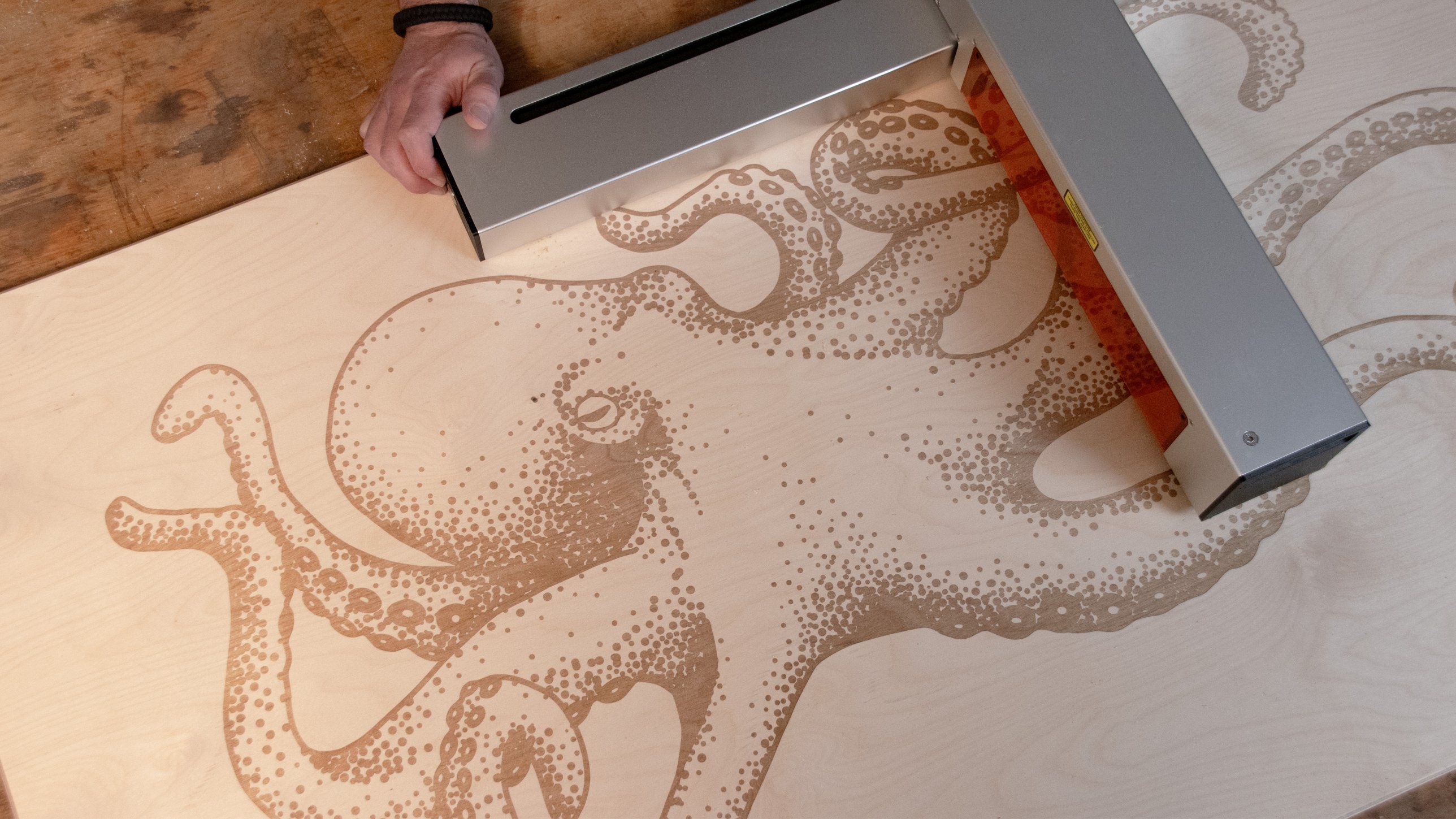
Optic engraving a large octopus design onto a plywood sheet
HARDWARE  ·  PACKAGING  ·  WEB

Rendyr

Optic is the first portable laser cutter with built-in filtration and infinite workspace capability. My work focused on getting it built and into people's hands: assembly documentation and process changes that took build time from over 30 hours to under 15, packaging, a custom brush accessory, and the maker projects that showed what it could do.
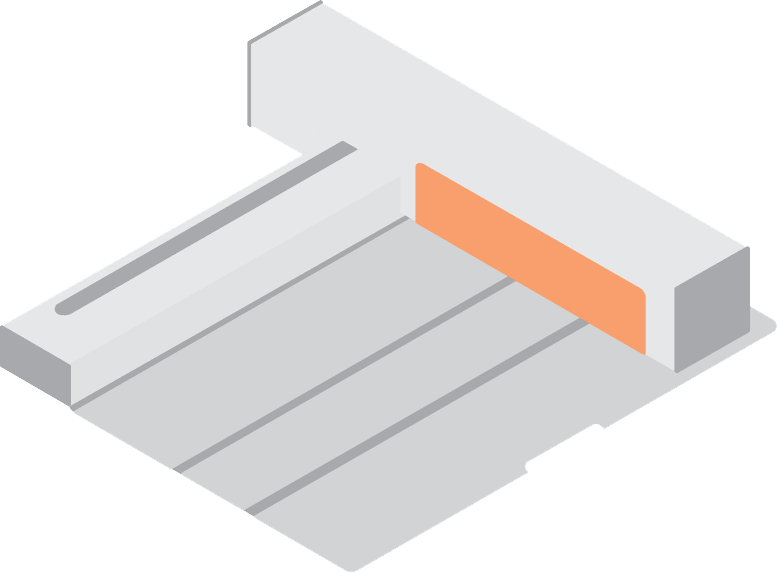
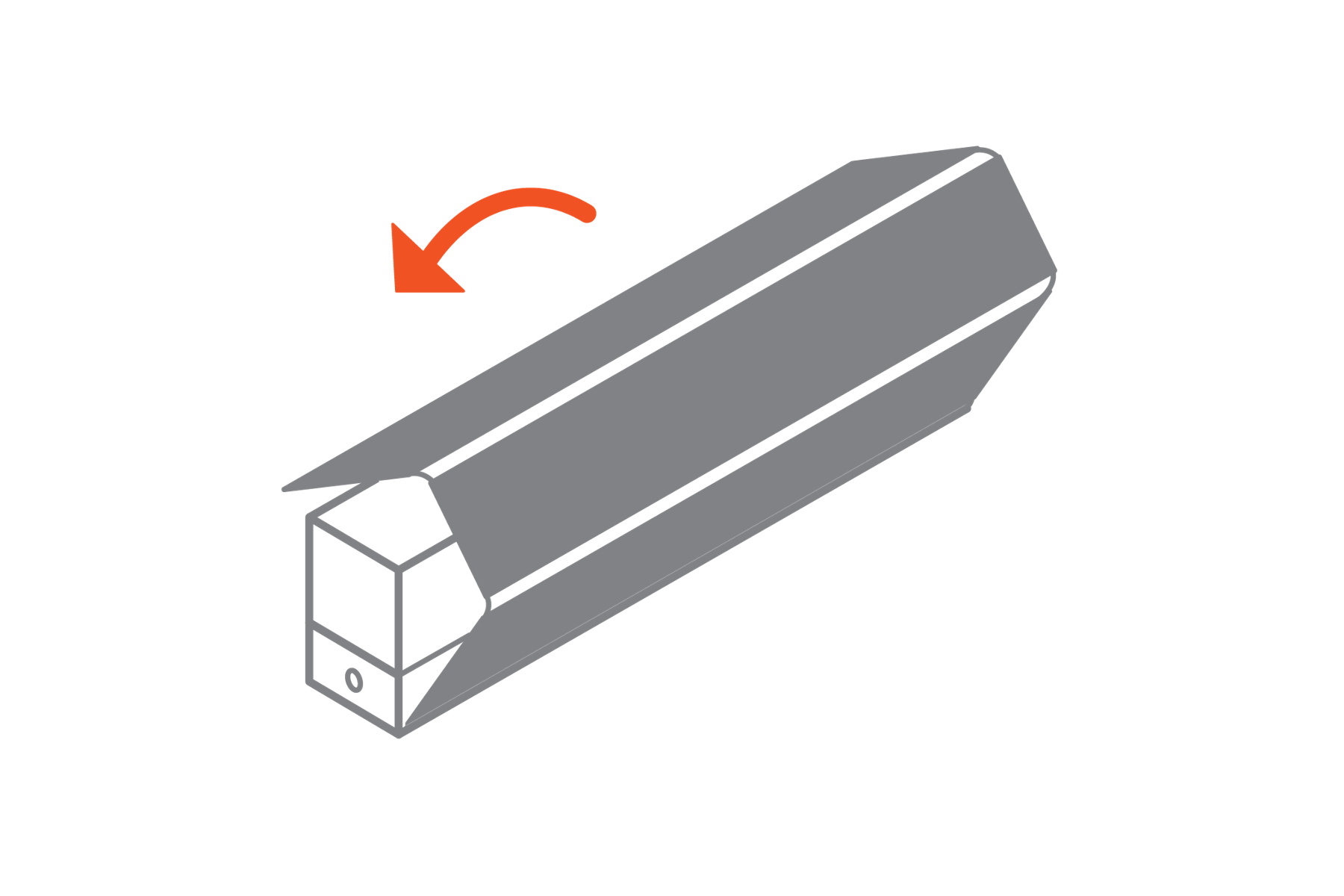
Illustration of the Optic portable laser cutter
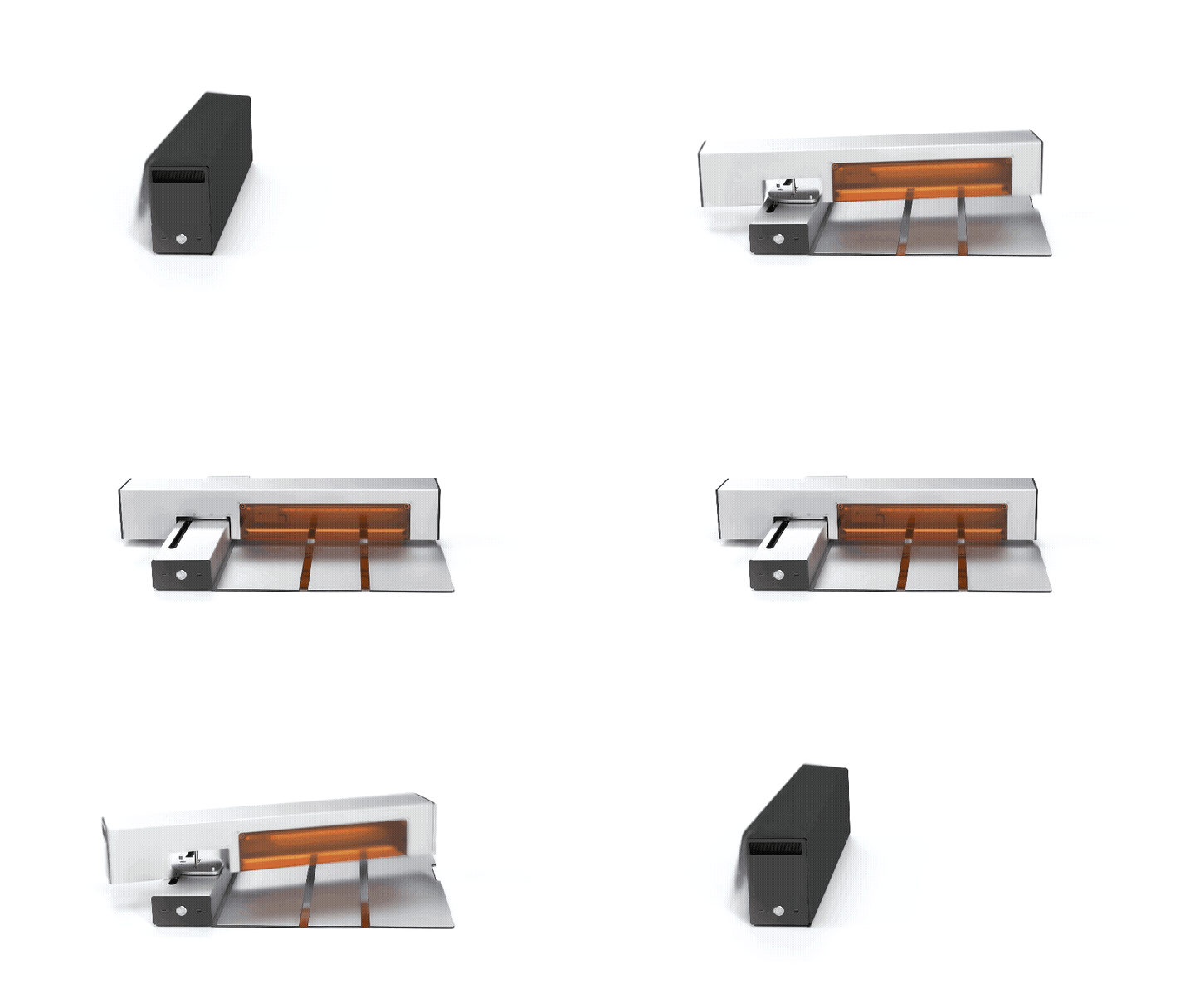
Optic folding into its compact storage form
Portability
Switches easily between compact storage size and a generous 12 × 18 in base work area.
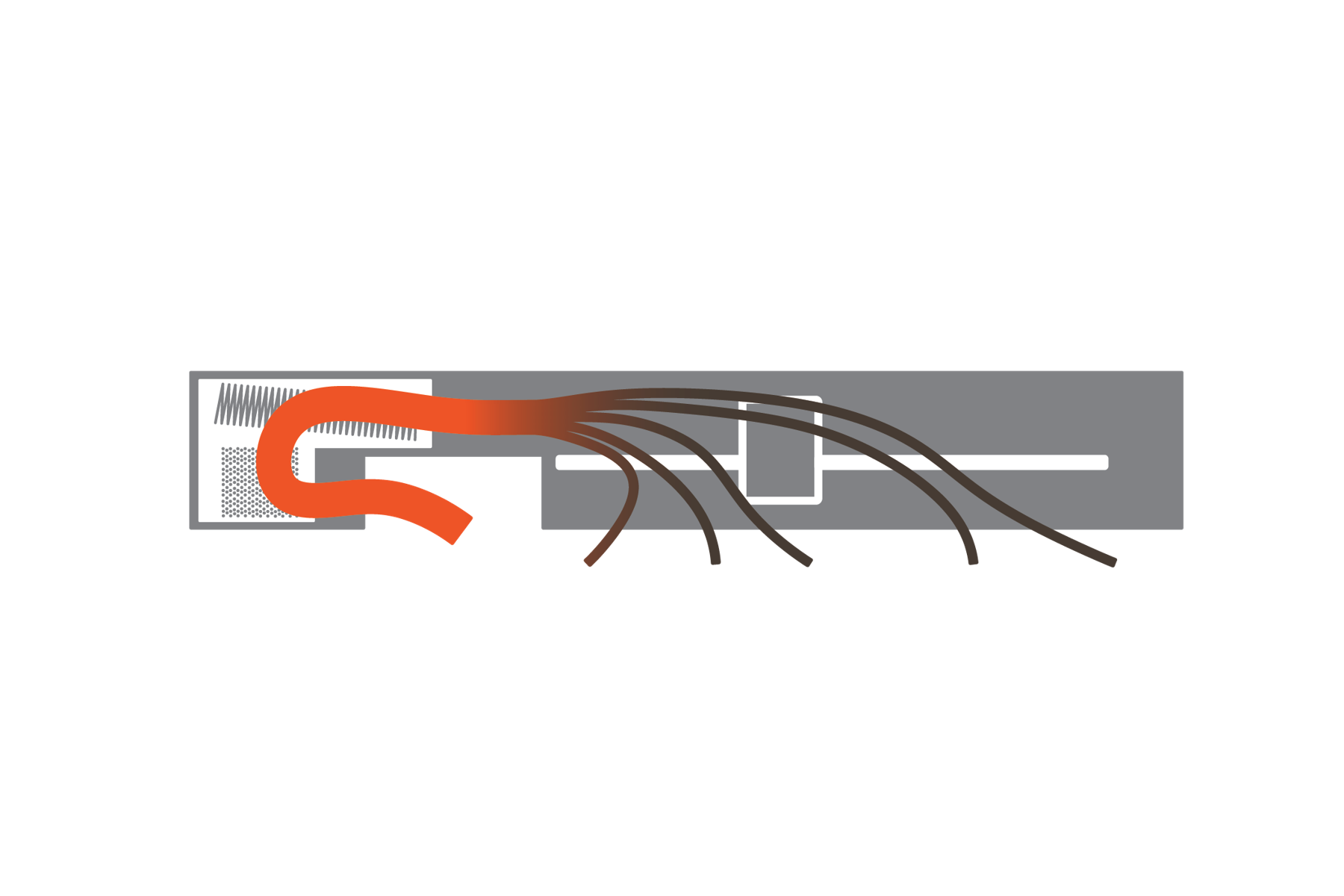
Smoke and fumes pulled through the built-in filter
Built-In Filtration
HEPA and high-activity carbon media capture laser-generated smoke and fumes as they're pulled through the filter.
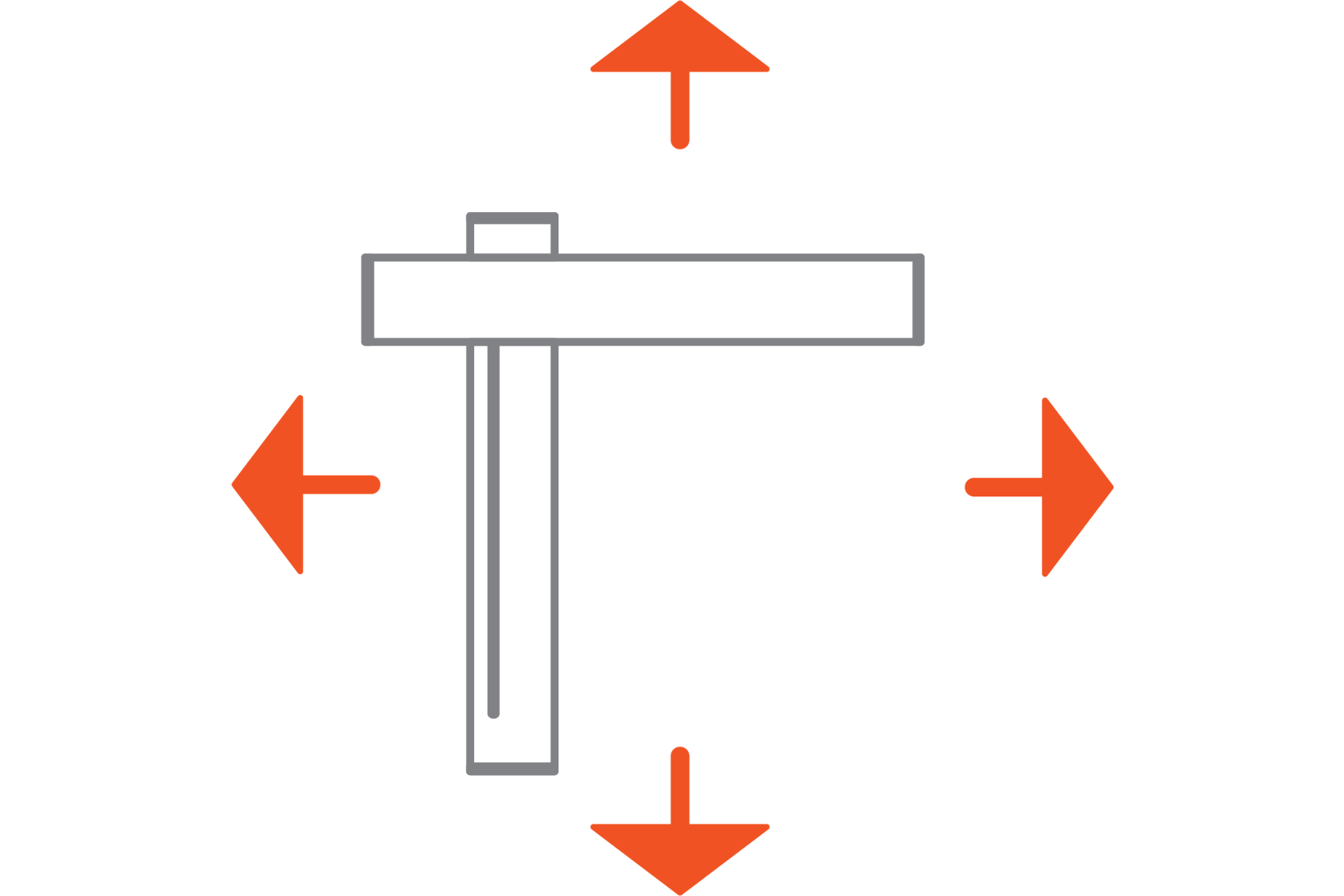
Laser head moving freely in any direction
Infinite Workspace
Detach the cutting mat to work directly on surfaces of any size, aligning multi-part cuts in software.
WHERE I JUMPED IN
Funded, ordered, and not yet buildable at volume

I joined after the Kickstarter campaign closed. Optic was funded and over 300 units were on order, but the processes to build, document, pack, and ship them at that volume did not exist yet. That is the work below.

300+
OPTICS ORDERED
$738K
RAISED ON KICKSTARTER
MY ROLE
From assembly line to unboxing moment
Industrial Design Lead, 2022 to 2024

I care about how a product feels to everyone who touches it, including the people building it. At Rendyr, everything I worked on had eyes on three worlds at once: the user experience, scaling production, and marketing. So I treated the bench, the documentation, and the box as one experience: rewriting any step that fought the builder, drop-testing the packaging, and designing the first power-on moment. That is what took assembly from 30+ hours to under 15 and got 300+ Optics to their backers.
UX for the builders on the bench and the people unboxing at home
Scale: processes that could keep up as orders grew
Marketing that showed the Optic at its best
Document with a wrench
UX · BUILDERSSCALE
Led creation and editing of assembly documentation, cutting assembly time from 30+ hours to under 15.
Speech bubble
UX · END USERS
Gathered user feedback and proposed design changes directly to the engineering team.
Open box
UX · END USERSSCALE
Established and managed the packaging department, from drop testing to the unboxing and power-on experience.
Conveyor belt with boxes
SCALE
Developed and optimized the manufacturing processes for in-house production of 300+ units.
Laptop showing a web page
MARKETING
Collaborated on the website UX/UI and led content projects that showed the Optic at its best.
DESIGN FOR MANUFACTURING
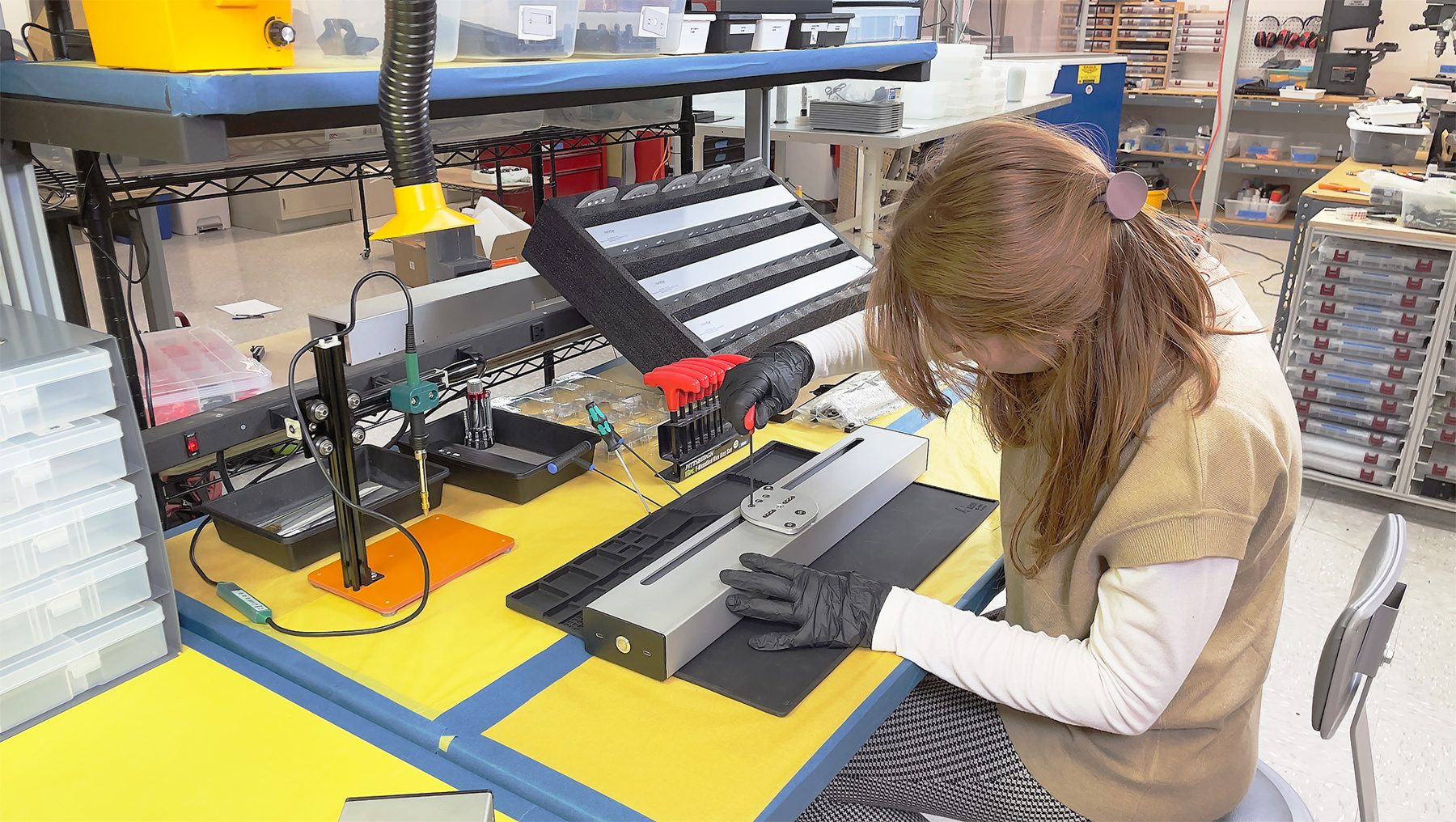
Sophie assembling an Optic lower body at the production station
Early Production Builds

I learned every assembly process, then defined the build sequence and the consistency and accuracy tests that let us make more than one at a time. Space and system planning became part of the same job: the bench layout decided how fast a unit could move through it.

I treated the building experience as a UX problem of its own and pushed design and process changes wherever a step fought the person doing it, cutting tens of hours from assembly time and taking the frustration out of the steps that remained.

ASSEMBLY PROCESS
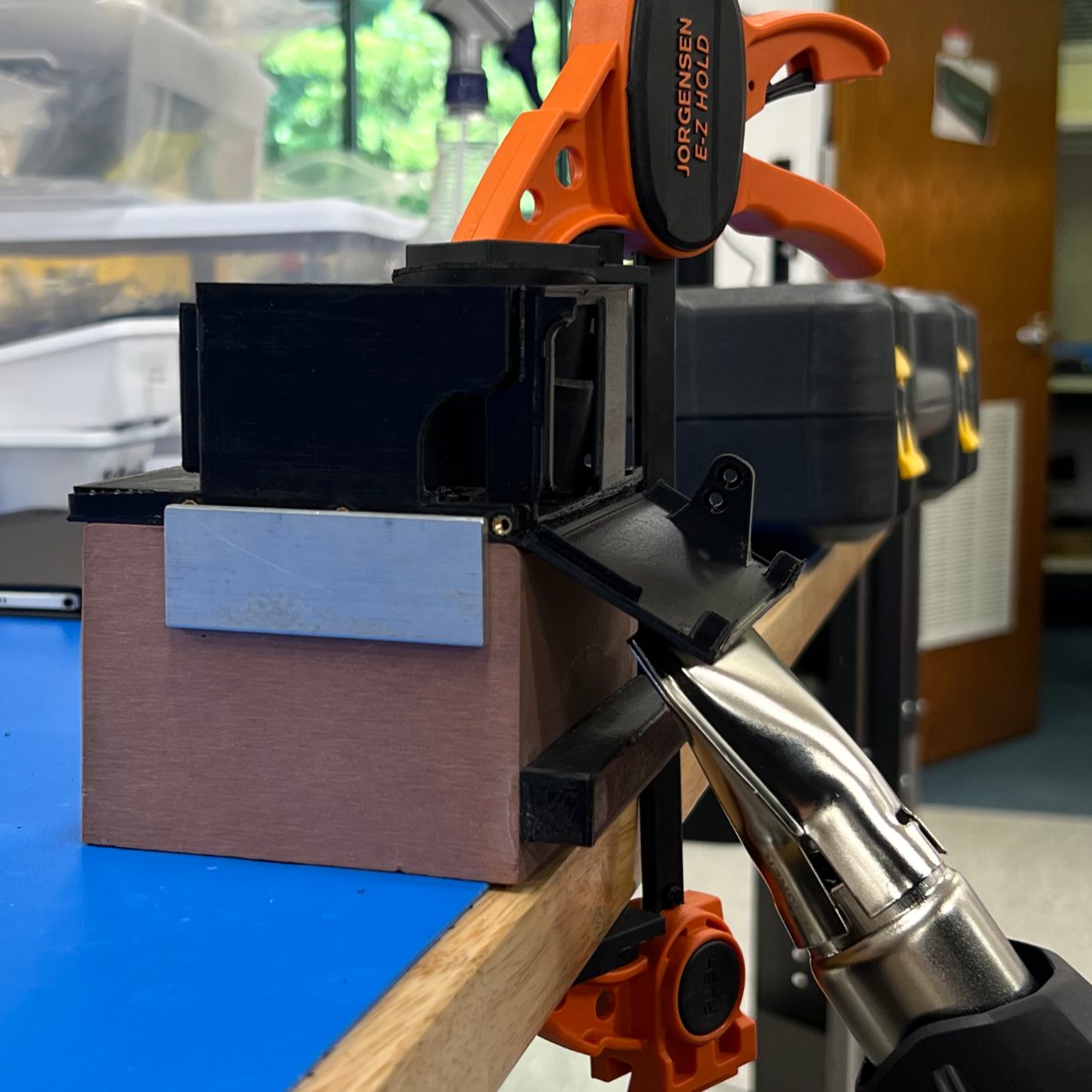
Using a heat gun to fold a 3D printed part to shape.
Heat forming
Using a heat gun to fold a 3D printed part to shape.
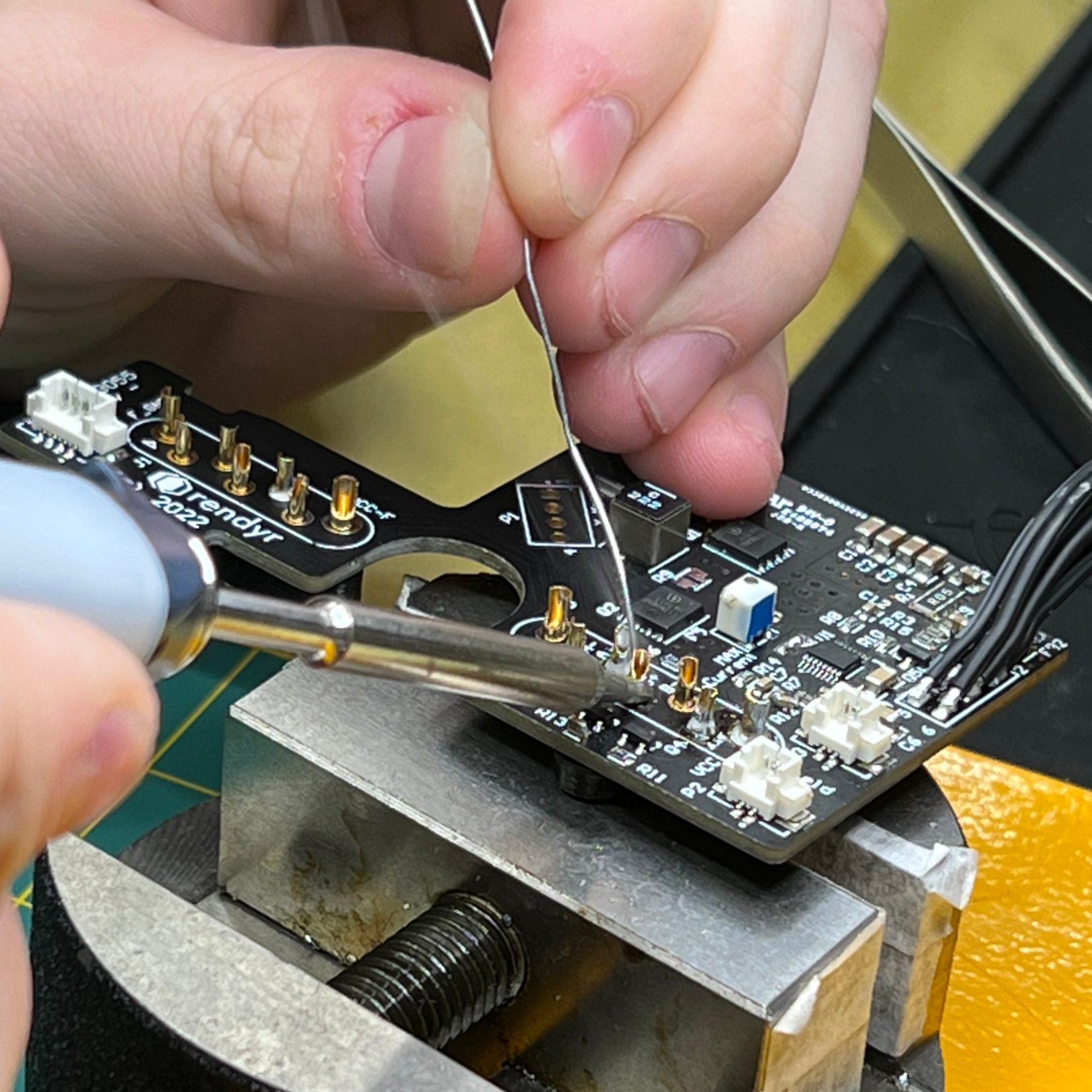
Soldering a PCB at the bench vise.
Board soldering
Soldering a PCB at the bench vise.
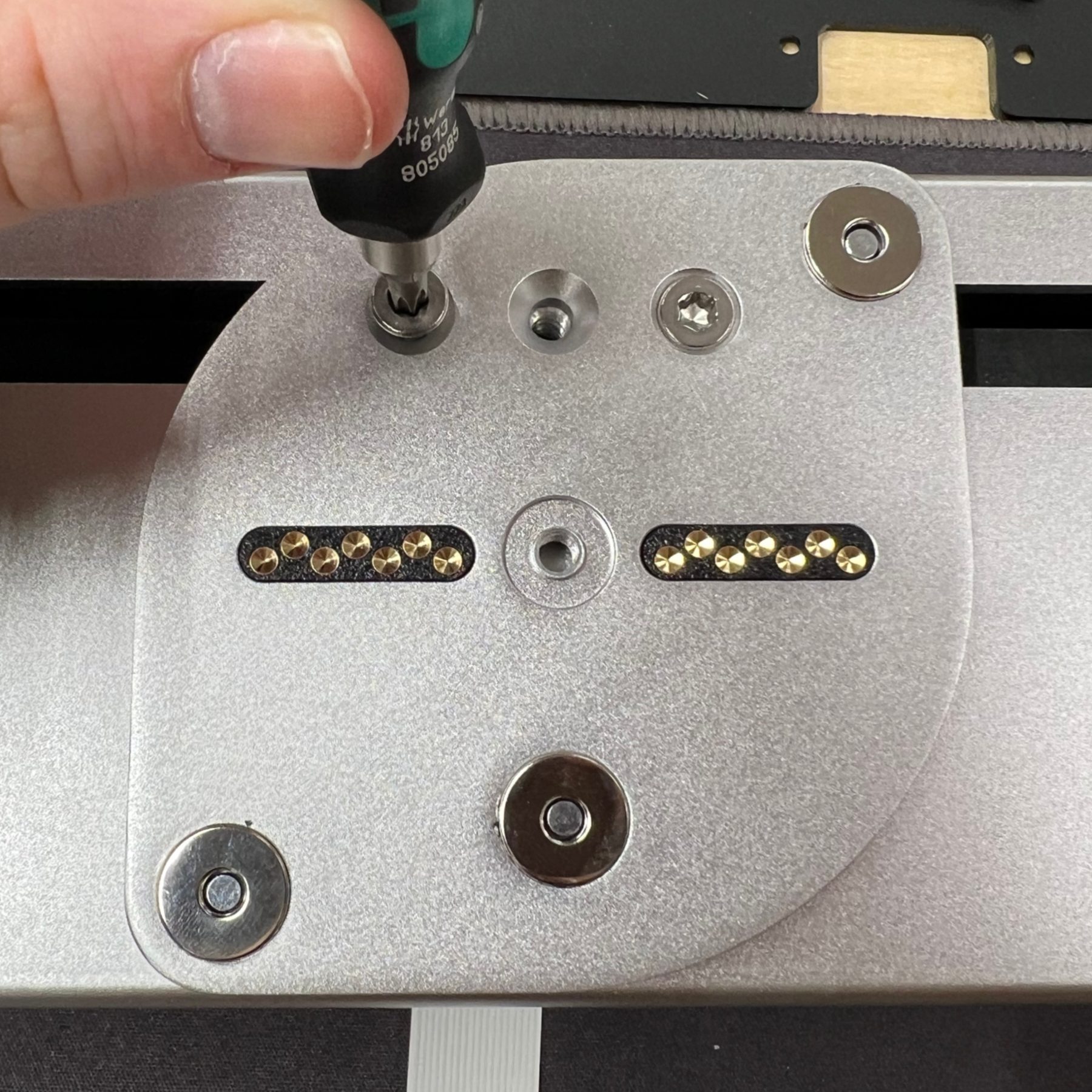
Installing the hinge plate that lets the upper body pivot.
Hinge plate install
Installing the hinge plate that lets the upper body pivot.
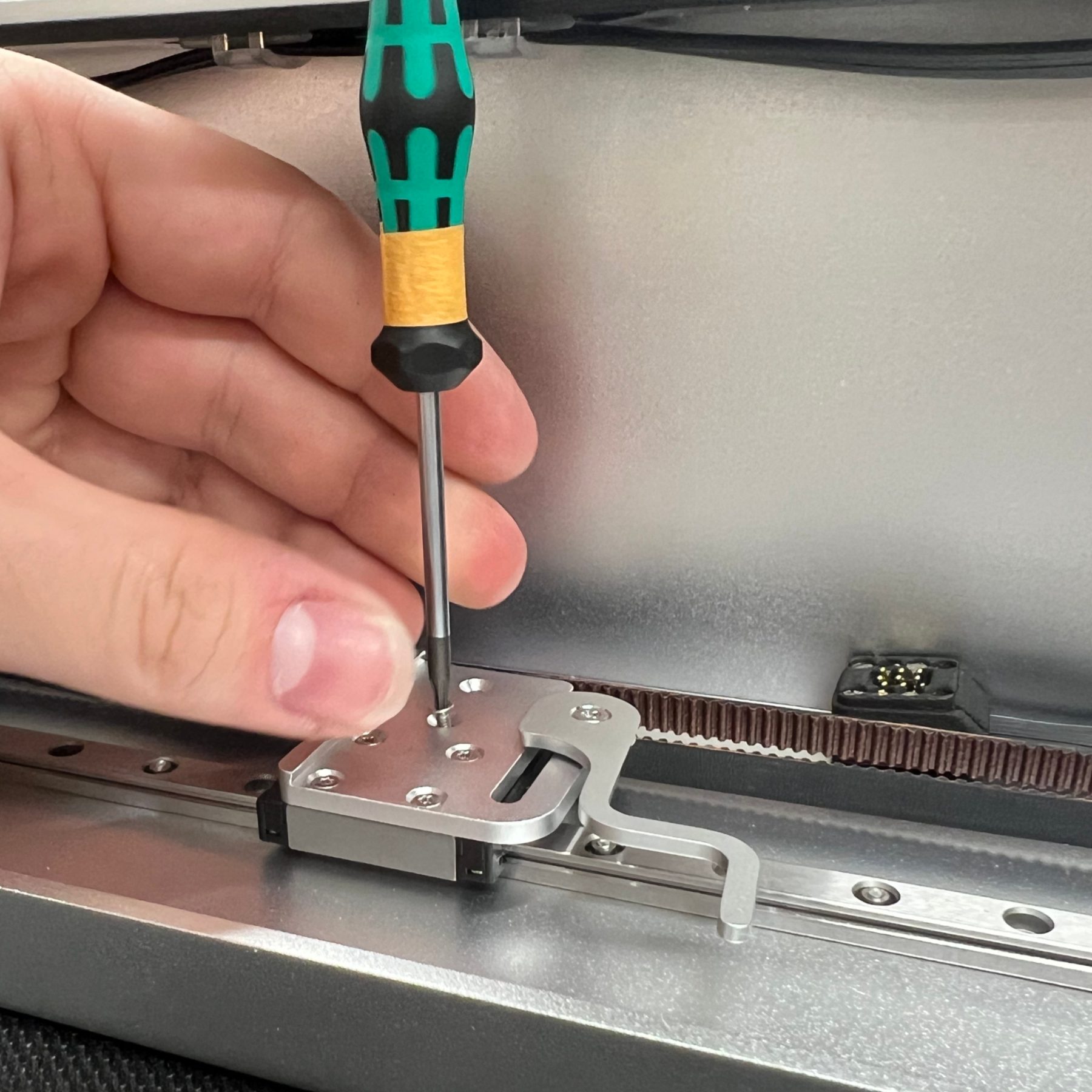
Bolting the laser module carriage to the linear rail.
Carriage mount
Bolting the laser module carriage to the linear rail.
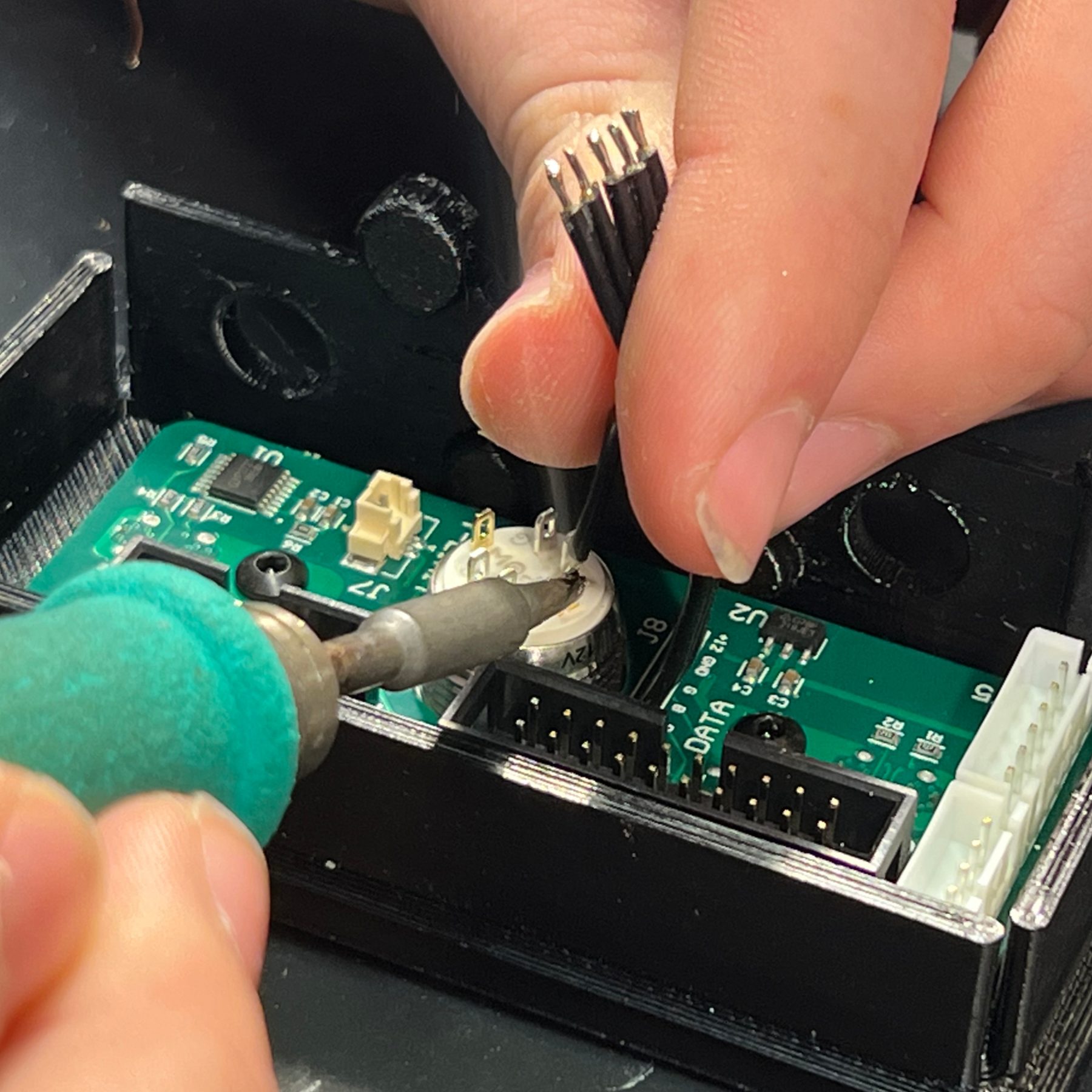
Soldering ribbon cable to the power button.
Power button wiring
Soldering ribbon cable to the power button.
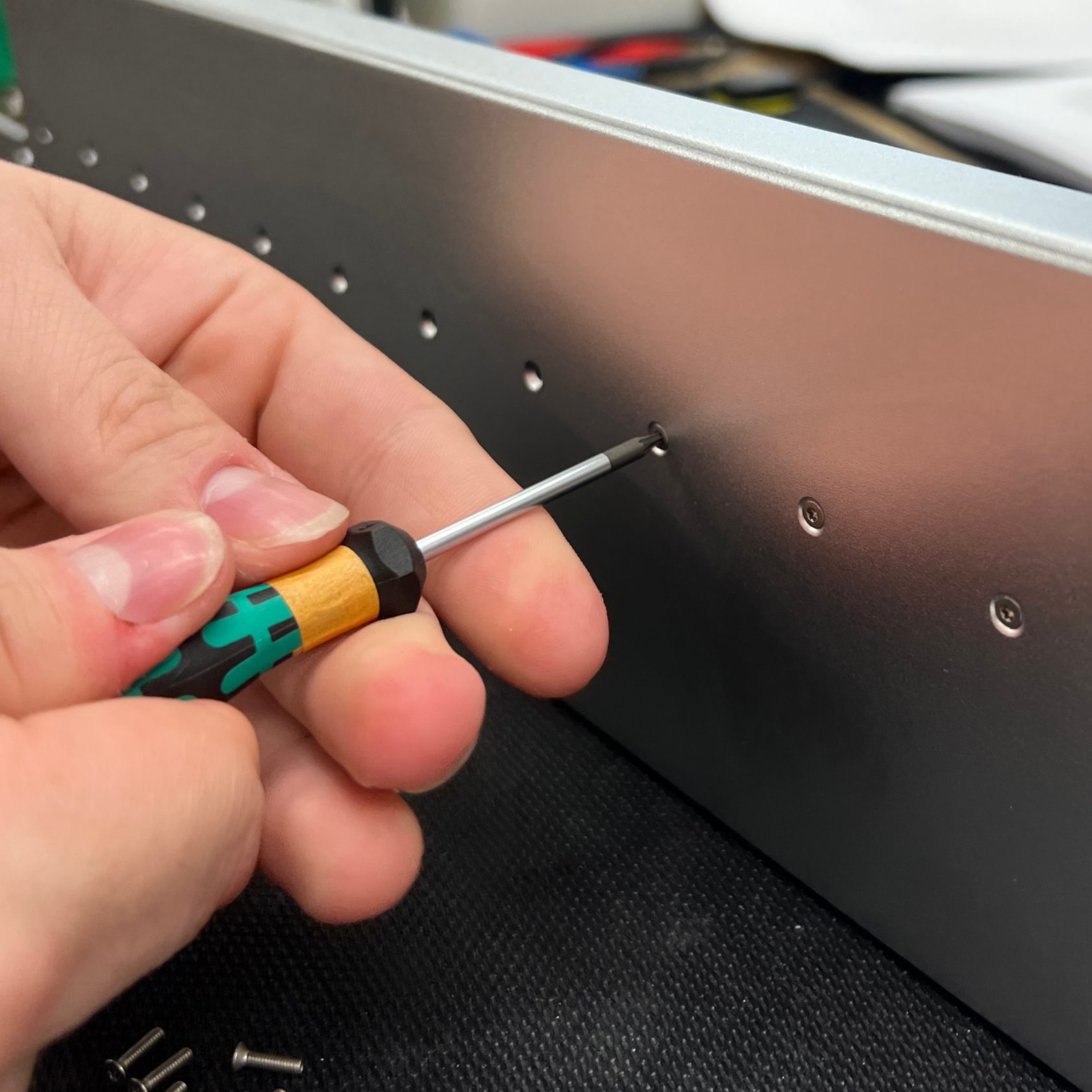
Bolting the X-axis linear rail onto the upper body.
X-axis rail
Bolting the X-axis linear rail onto the upper body.
Comprehensive Assembly Documentation

As the business scaled, documentation became required to support the manufacturing process, preserve consistency, and record process changes along with tool and material requirements. I led the creation and editing of hundreds of pages of documentation, from laser diode focusing to soldering cables and boards to part installation.

Through design for manufacturing and process optimization, we took the assembly time of an Optic from over 30 hours to under 15 hours.

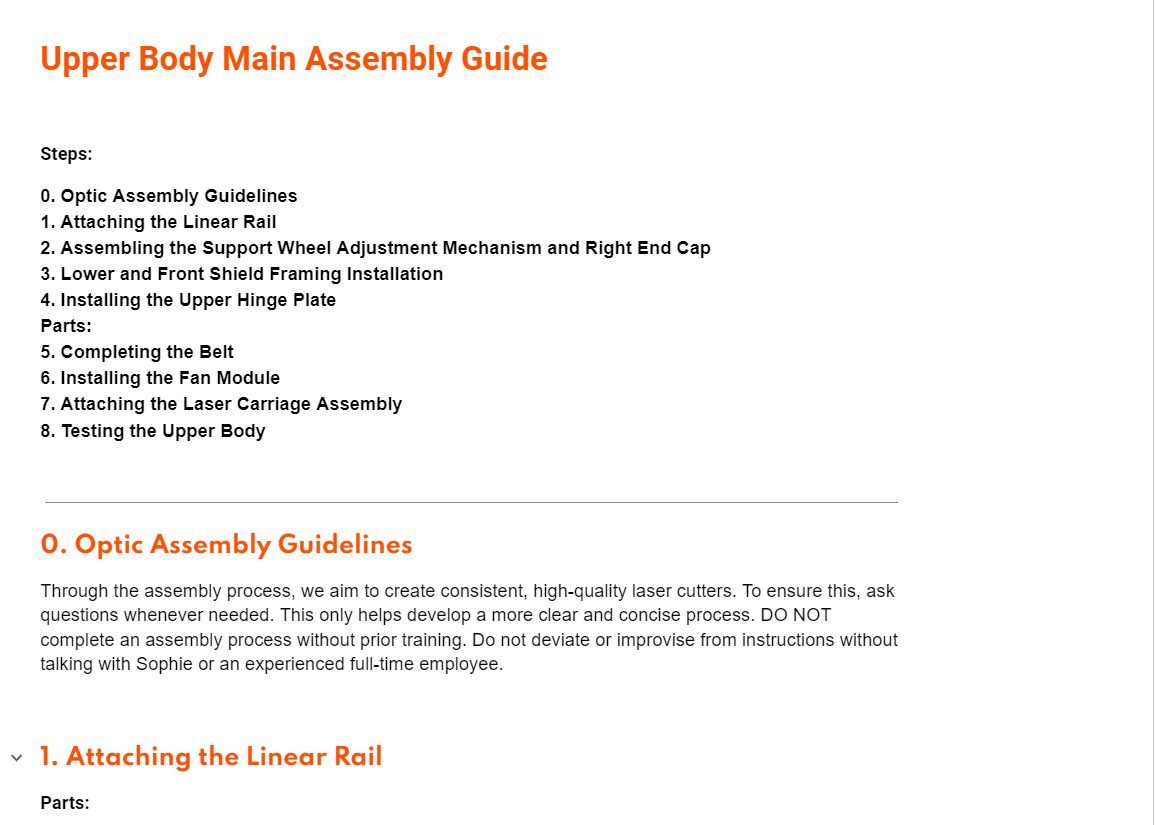
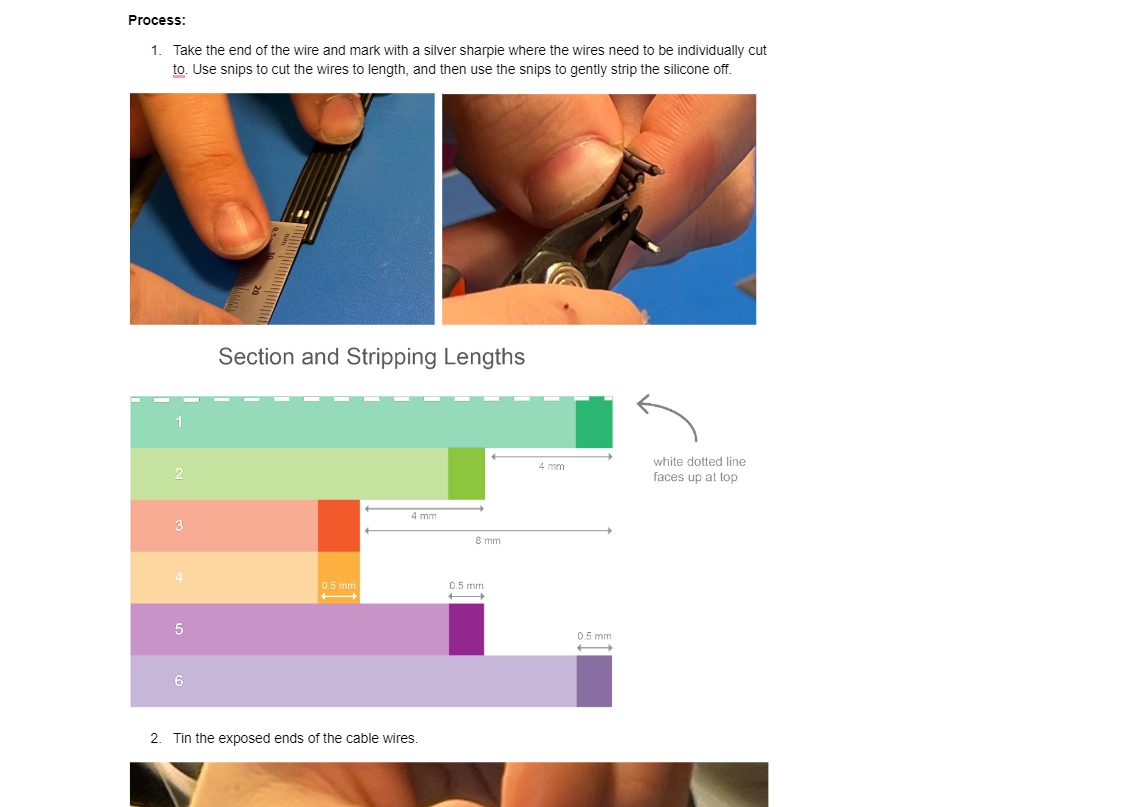
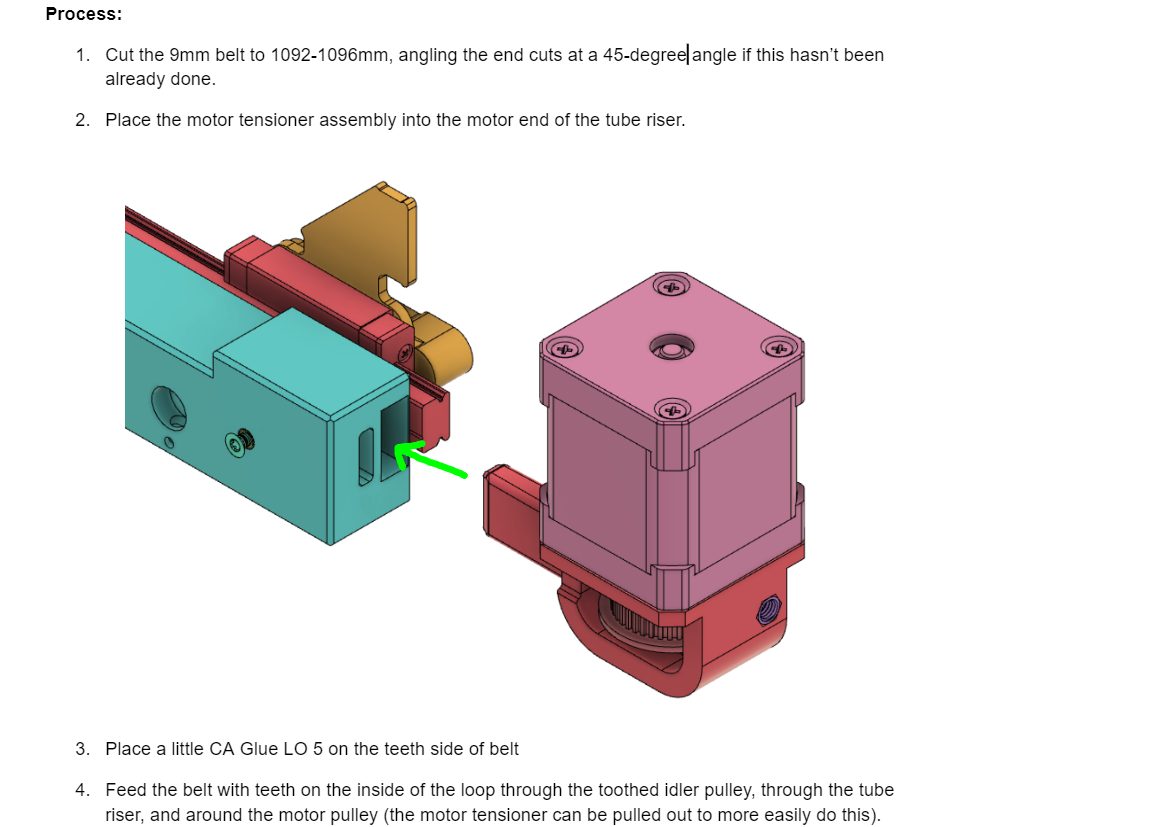
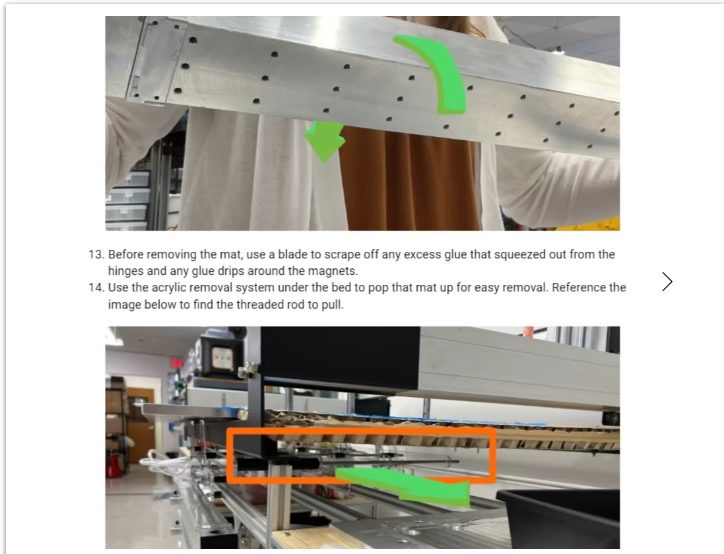
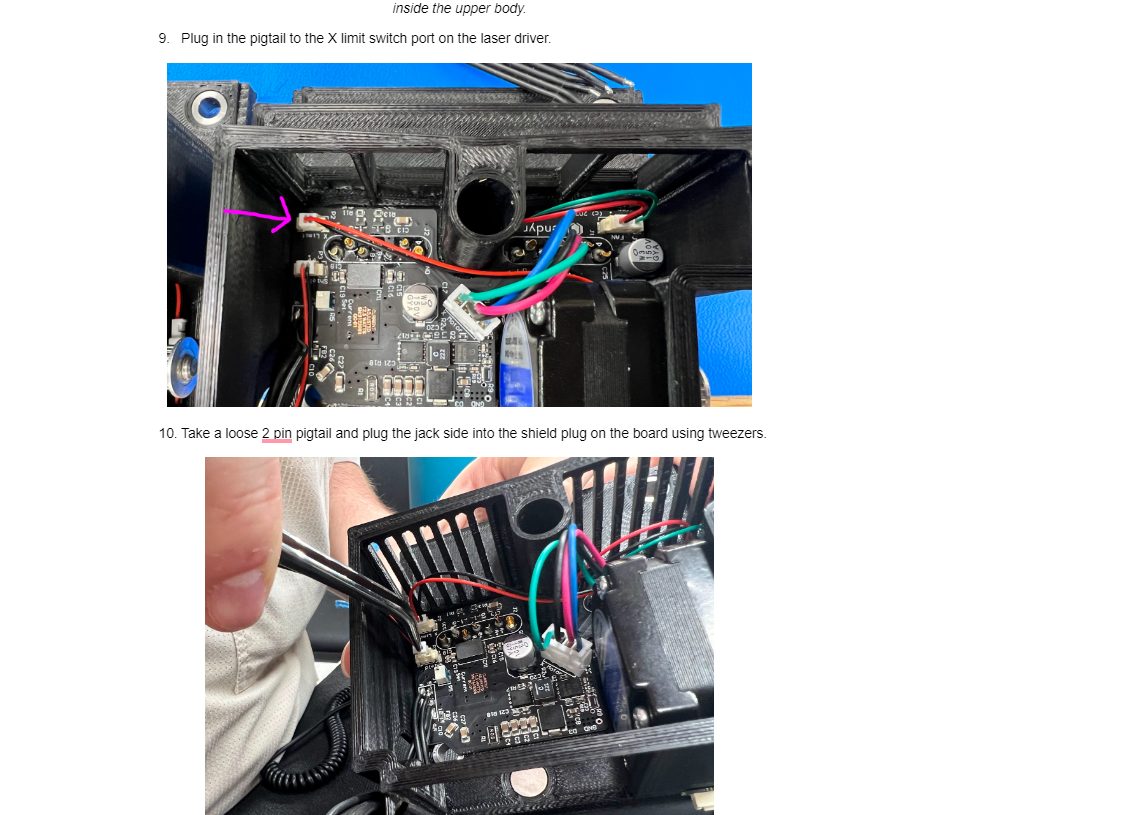
Guide overview and assembly guidelines Wire cutting and stripping lengths Belt routing with CAD callouts Annotated photos for mat removal Pigtail and shield wiring steps
{{ docCap }}
USER EXPERIENCE
User Profiles

Using customer feedback, industry research, and my own user experience, I strategized communications with current users and potential customers through customer support, social media engagement, and advertising. User profiles aided in decision making.

Allison
Allison
36 · Librarian · Lima, OH

"I'm a hobby maker with a busy life and a small home. I can't have a large machine that sits idle 90% of the month."

Daily life — Works at the local library, crafts custom wallets and keychains in her free time, visits her elderly mother in the evenings.
Needs — A machine she can iterate on quickly in leather, acrylic, and thin wood, then clear away.
Frustrations — Residue and debris on the cutting mat between runs; no space for a machine that stays out.
LASER EXPERIENCE
WHAT I DESIGNED
Fast cleanup between iterations led to the custom brush accessory.
Louis
Louis
42 · Craftsman · Burlington, VT

"Now it's a brilliant tool I've started using in client projects that looks good in use and when wrapped up to take up less space."

Daily life — Works on woodworking projects all day at his shop, comes home late to a family, cooks dinner.
Needs — Precise curvilinear repetition and stenciled guides into wood, with a tool that packs up like his others.
Frustrations — Bulky machines that take over the bench; setup steps that slow down paid work.
LASER EXPERIENCE
WHAT I DESIGNED
Taking it out and putting it away like a power tool shaped the packaging and storage.
Jason
Jason
28 · Web Developer · Seattle, WA

"I have never used a Laser Cutter but program was super easy to start playing with if you follow the videos."

Daily life — Works a full-time job during the day, takes public transportation home, lives in a small apartment, chats with friends.
Needs — Clear steps for a first project, and a machine he can pull out of the closet a few times a year.
Frustrations — Forgetting setup steps between long gaps in use; unclear focus and alignment.
LASER EXPERIENCE
WHAT I DESIGNED
First-time users like him drove the setup documentation and unboxing order.
Off the Shelf

Optic folds down small enough to live on a shelf and come out only when it's needed, which is exactly what someone like Allison needs from a laser cutter in a small home.

User Optic Project Journey

Using my own experience along with others, I mapped the process of beginning a new Optic project. This helped me identify pain points and strengths of using the Optic in comparison to other laser cutters. It aided project planning and customer advice, and informed the engineering team of areas of improvement.
SEAMLESS
FRICTION
PAIN POINT
SETTING UP OPTIC
PREPPING FOR PROJECT
SETTINGS TESTING
Clear Off Workspace
Open Optic
Clean Cutting Mat
Clean Laser Module
Place Scrap Material
Remove Shield & Prefilter
Check for Prefilter
Set Laser Module Height
Replace Shield
Check Support Wheel
Run Settings Tests
Locate a suitable place to run the Optic
Clear off the work area
Pull the Optic from storage
Set on table, power button facing you
Unwrap the cutting mat
Rotate upper body and set down
Wet a magic eraser
Wipe down with isopropyl wipe
Wipe down the mat
Use a paper towel to clean steel hinges
Release CAM lever and pull out the laser module
Blow out dust
Wipe exterior and bottom with isopropyl
Look for a dirty rectangle on the laser lens
Line up on the cutting mat, keeping desired orientation in mind
Pull from underneath the bottom lip to remove shield
Pull prefilter tab with fingers to remove
Assess if you want to use a prefilter
Determine if the prefilter needs cleaning
Loosen CAM lever so the module can slide
Identify the height gauge step to set to
Slide gauge under module, tighten at height
Hold module in place while tightening lever back down
Place shield with corners over the magnet holders
Ensure the shield is sitting correctly
Compare support wheel height to the upper body's left side
Use H3 key to adjust the support leg height
Check height by the support wheel; adjust as needed
Locate settings in the material library to start with
Informally test to refine quality
SMOOTH
TRICKY
PAIN POINTS
—Locating position to run the Optic
PAIN POINTS
—Upper body moves too freely (feels insecure)
—Hard to know which direction to maneuver it
PAIN POINTS
—Some residue is harder to remove completely
—Sponge is hard to use without water access and doesn't last long
PAIN POINTS
—Hard to view the lens inside the laser module
PAIN POINTS
—Knowing to line up with the center of the line, engravings, or edge
PAIN POINTS
—Hard to remove shield if there's material under the slot
PAIN POINTS
—Prefilter is difficult to fit in place
—Annoying to wait for it to dry before another project
PAIN POINTS
—Hard to access CAM lever without your arm blocking the view
—Hard to hold it flat while tightening
PAIN POINTS
—Sometimes the shield doesn't engage the shield switch
PAIN POINTS
—Height gauge's upper-body lip isn't always accurate to that Optic
PAIN POINTS
—Material library isn't obvious in the software
—Not easy to quickly learn without guidance
FIRST-RUN EXPERIENCE
Introducing Users to the Optic

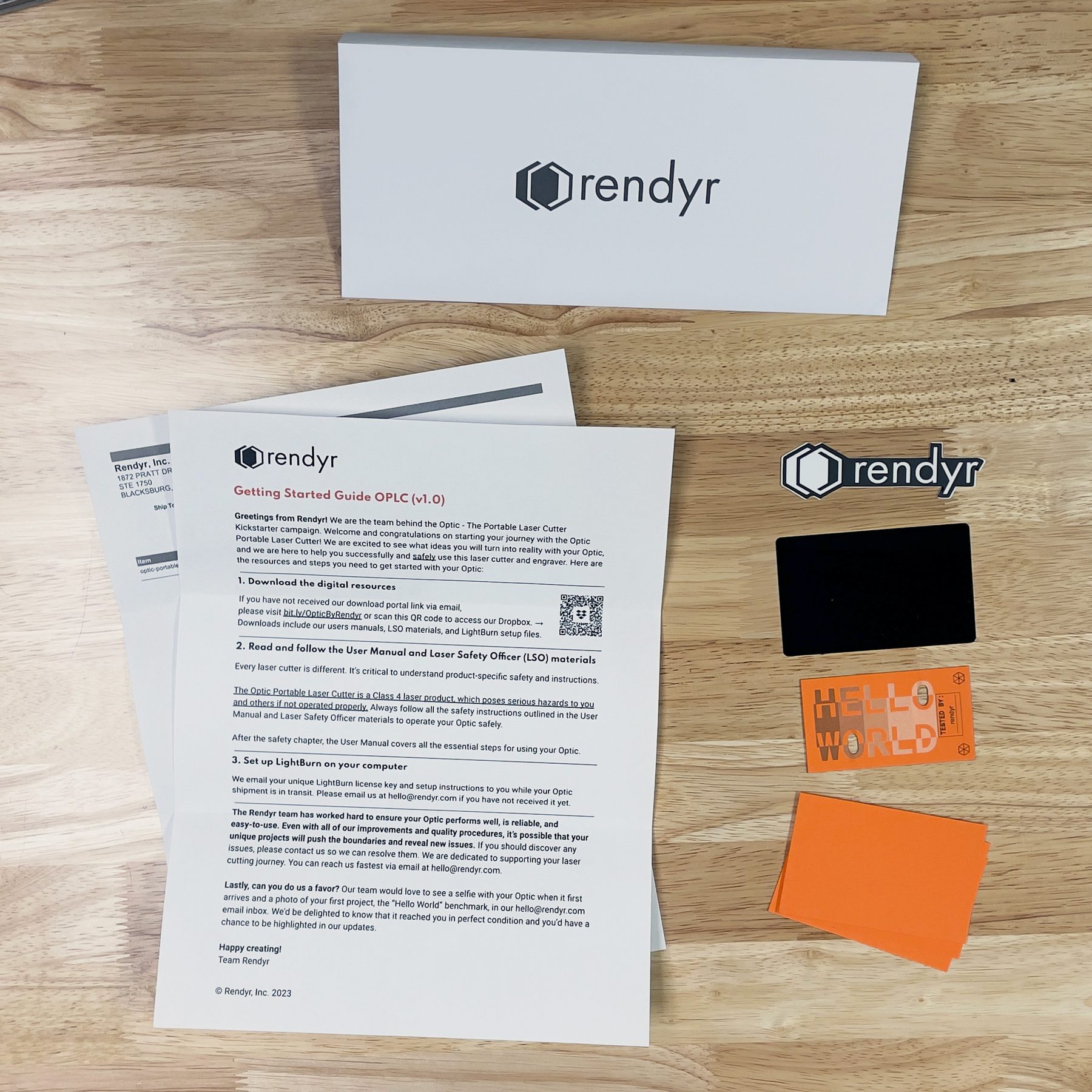
We treated a new owner's first hours with the Optic as one curated experience: opening the box, the welcome envelope inside it, and a first project that confirms everything arrived working. The envelope is the first physical point of contact with a customer, and the first item they see when opening an Optic box.

Welcome envelope contents laid out on a workbench: branded envelope, getting started guide, order confirmation slip, logo sticker, protective aluminum card, completed Hello World benchmark, and blank Hello World project cards
1Custom branded envelope
2Getting Started Guide
3Order confirmation slip
4Sticker with logo
5Protective aluminum card
6Completed 'Hello World' benchmark
7Blank 'Hello World' project cards (×3)
PACKAGING
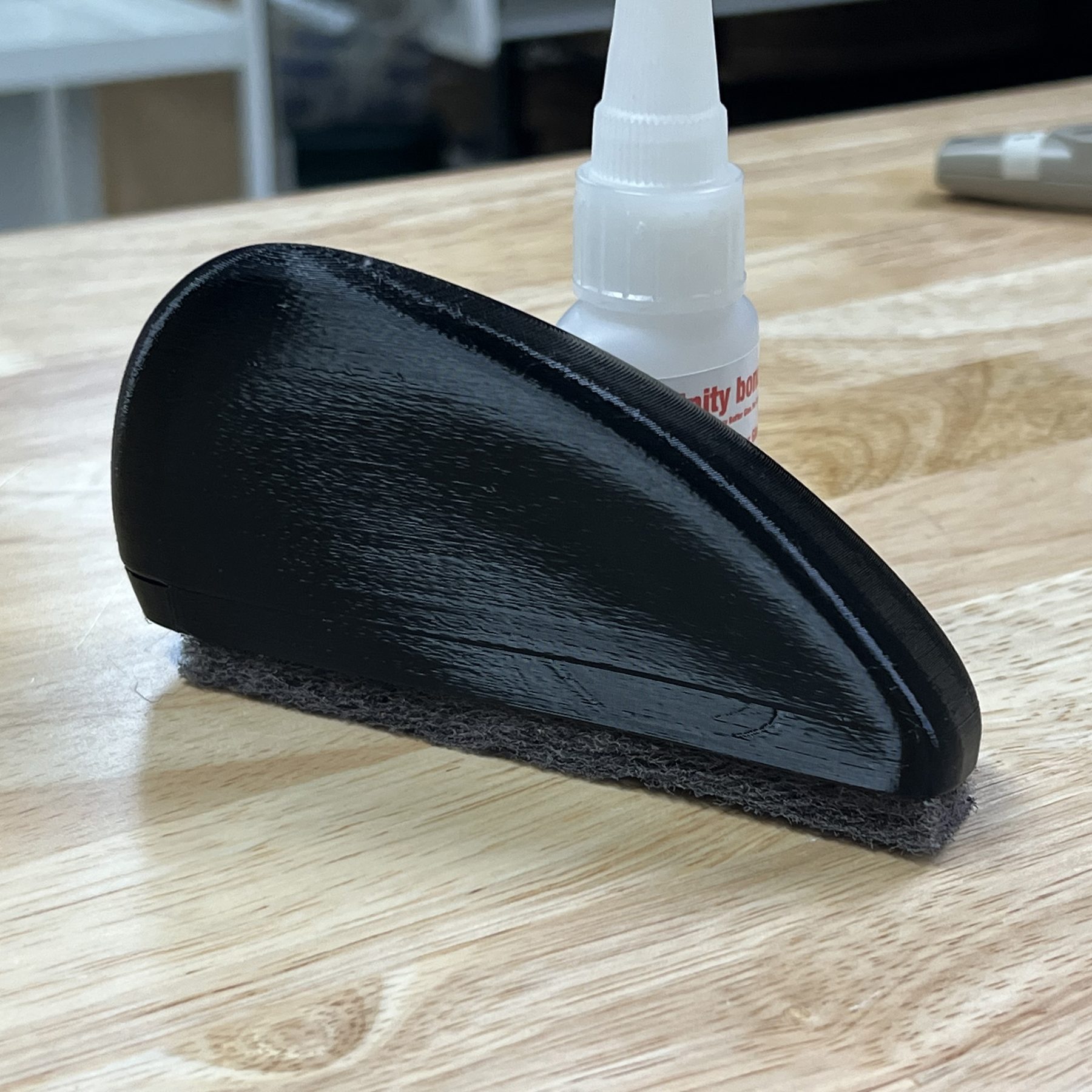
Custom Cutting Mat Brush

Designed with ergonomics and scalability in mind, the brush targets the steel hinges that let the Optic fold up. It clears debris from the hinges and is sized for exactly that part of the maintenance process.
Optic unfolding on its steel hinges
Designed for the Print Bed

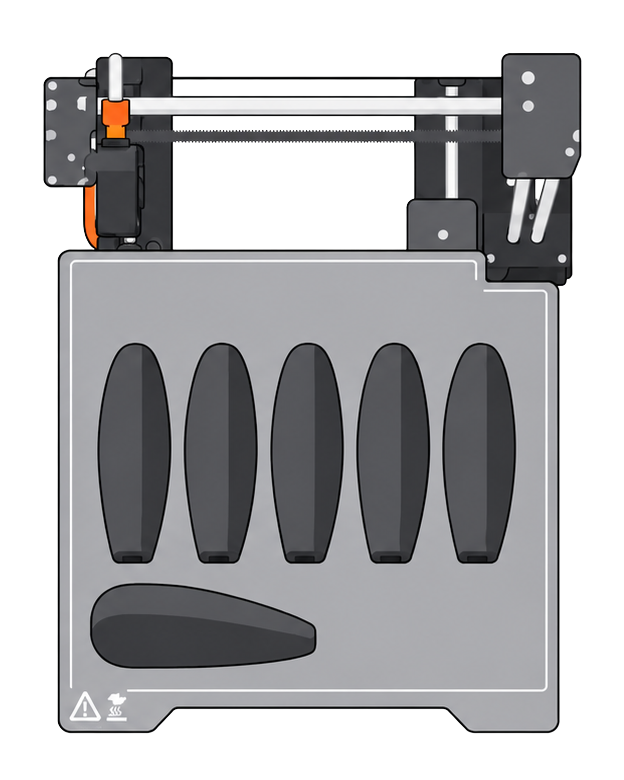
First iterations took up too much of the print bed and needed post-processing after printing. I explored magnets because that interaction is nice, but gluing them in simply took too much time. We landed on this design because six fit on one print bed, and the sliding back piece that holds the replaceable scouring pad needs no post-print process or assembly.
6
BRUSHES PER PRINT
Six cutting mat brushes laid out on a Prusa Mini print bed
The finished brush resting on a workbench beside a bottle of adhesive
Overview
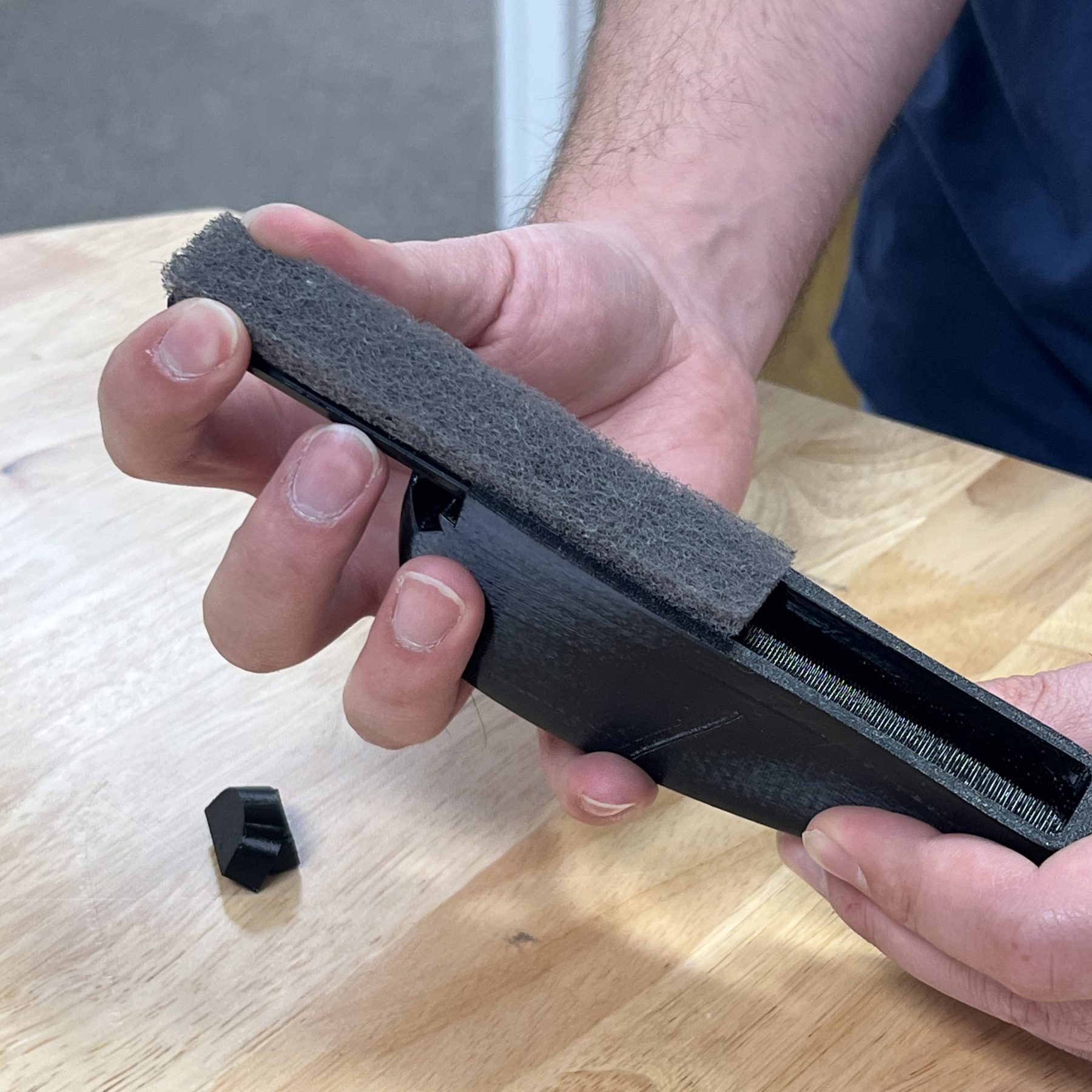
The printed body with its replaceable scouring pad.
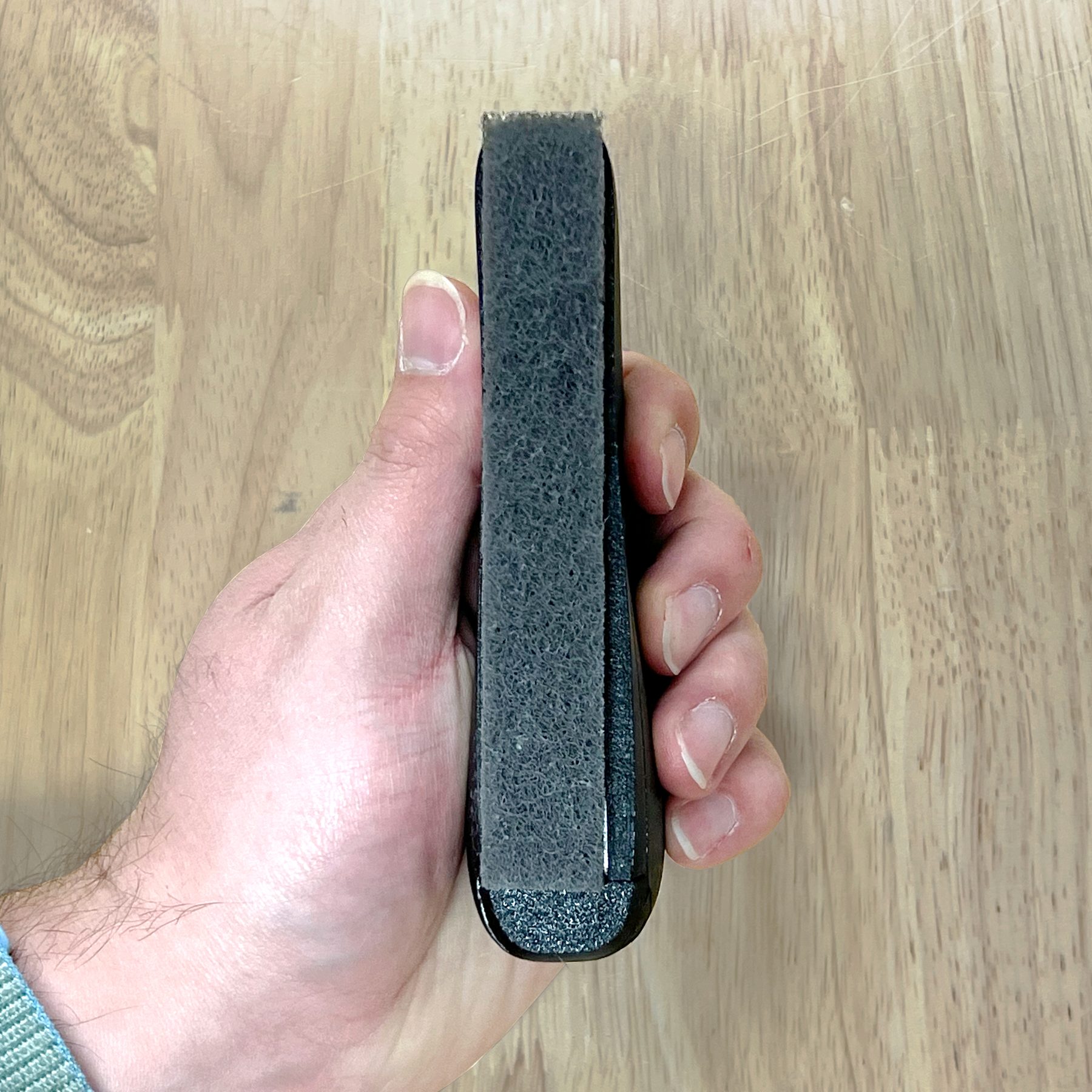
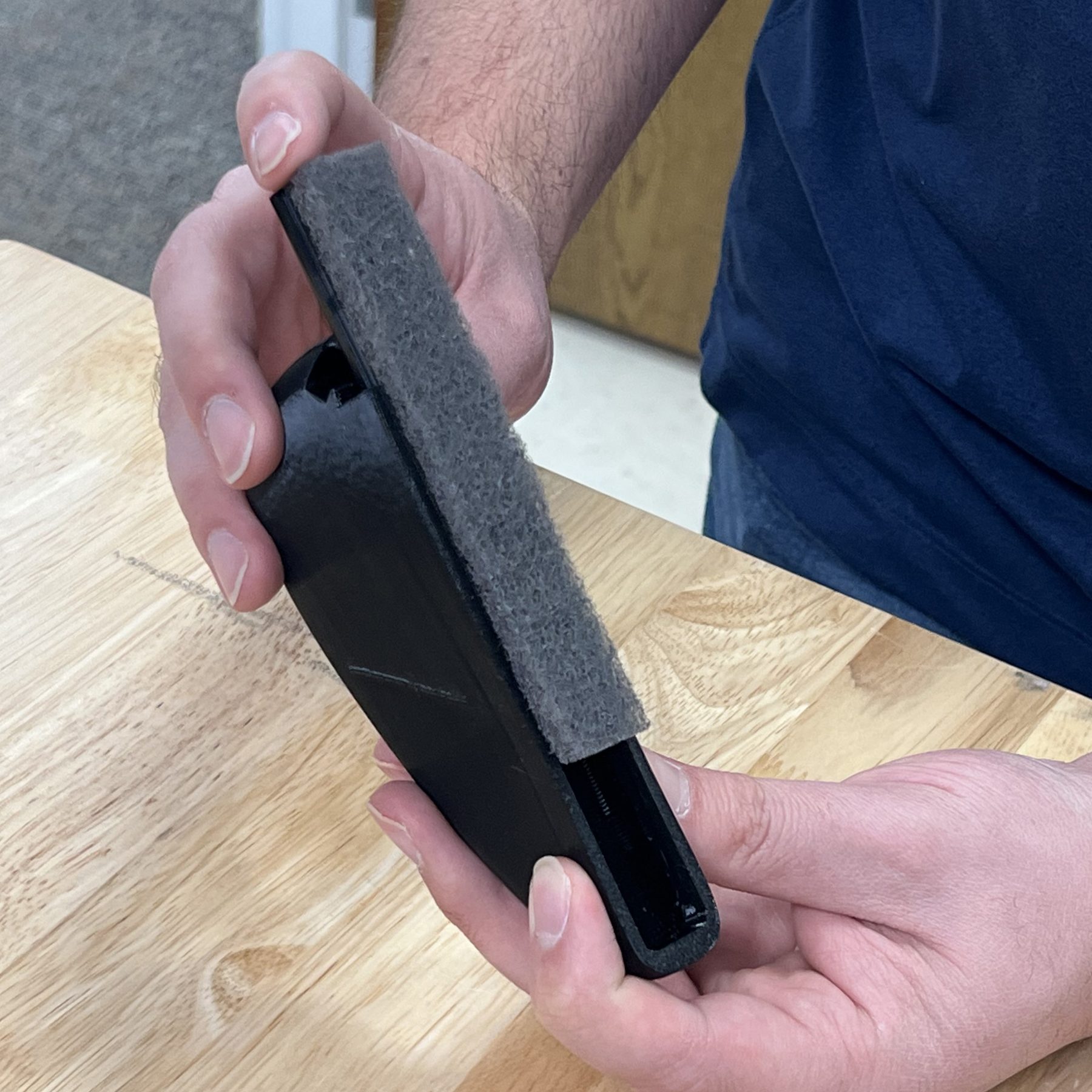
Side view of the brush held in hand showing the pad edge
Brush side
The scouring surface sits proud of the body for full contact.
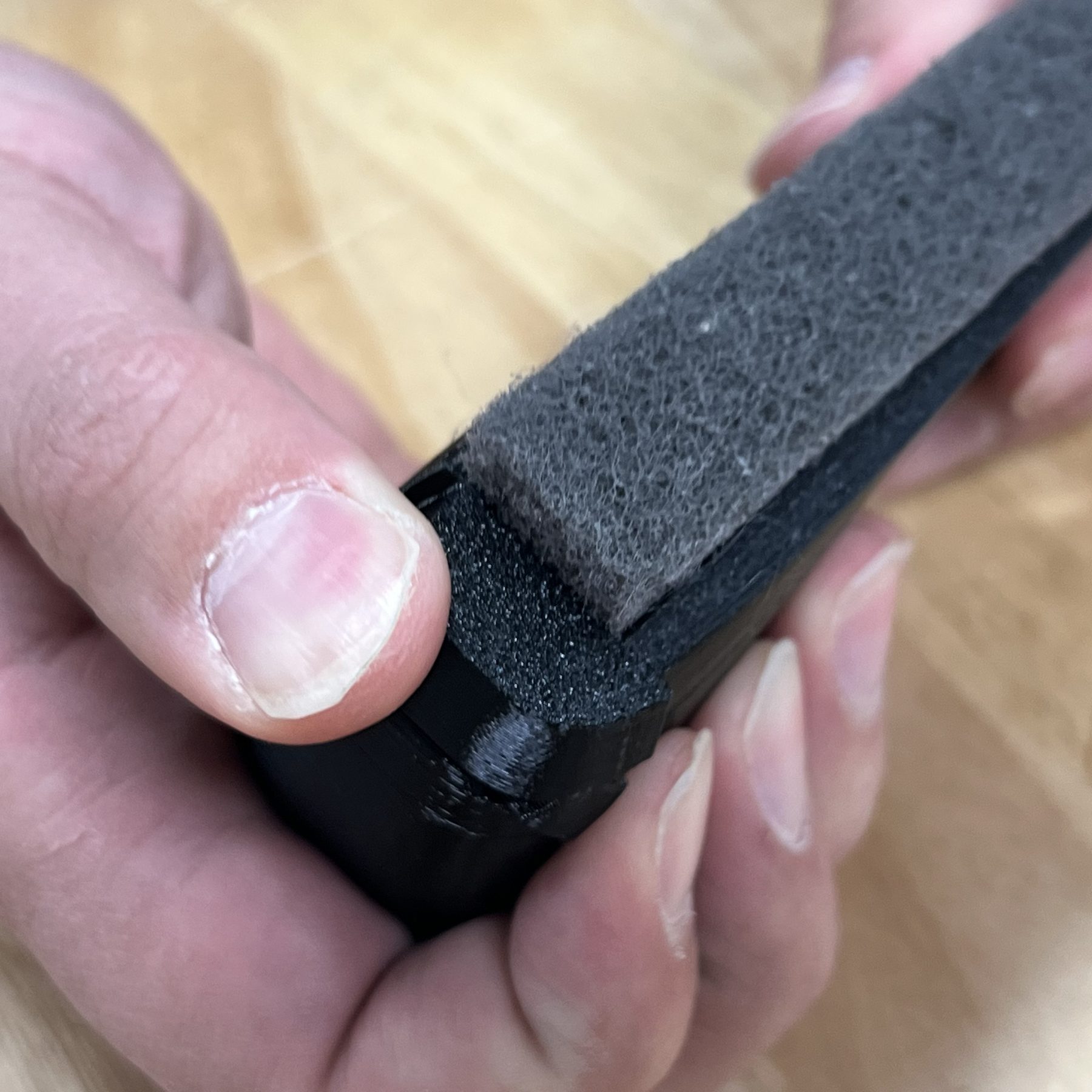
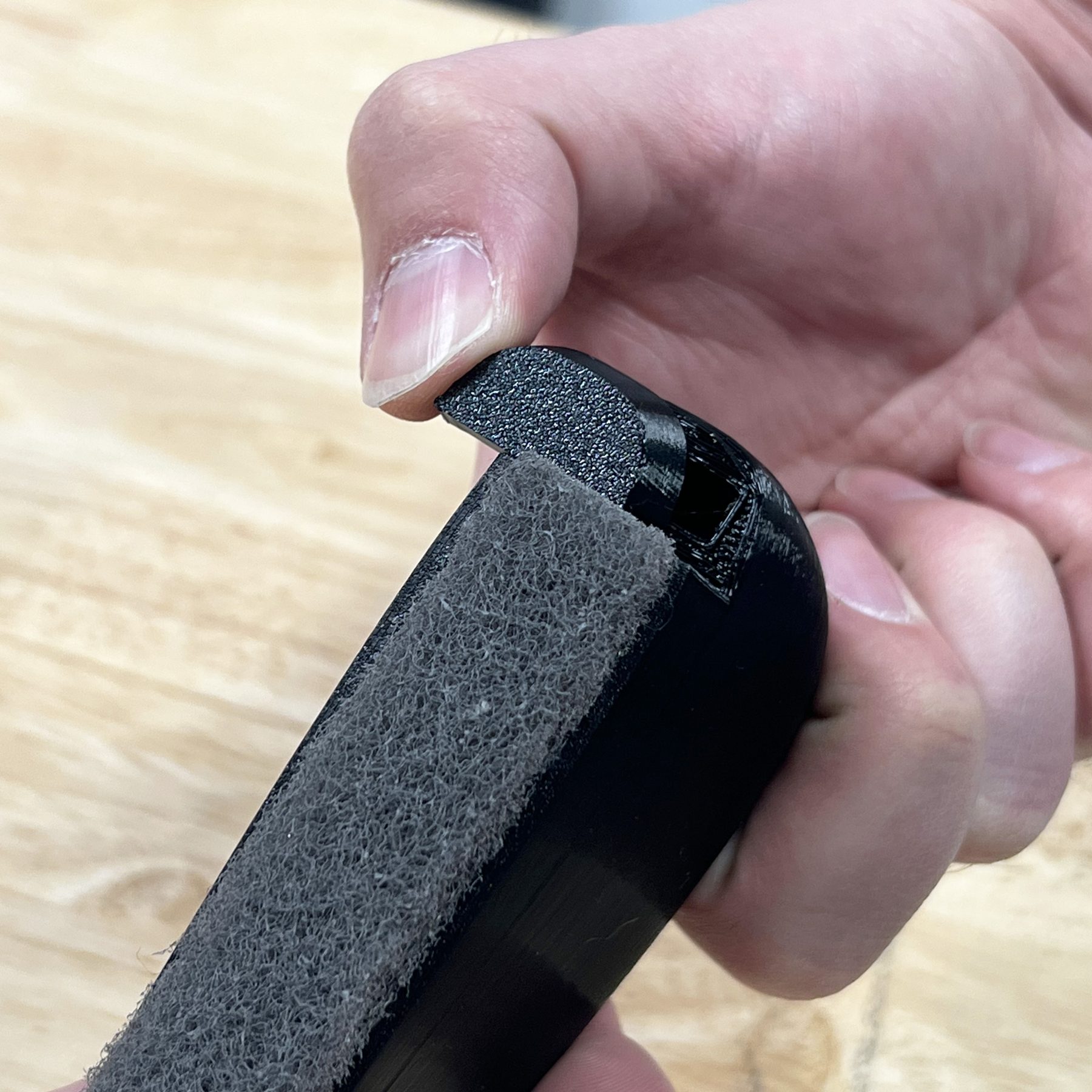
Thumb sliding the end cap off the brush body
Releasing the end cap
A thumb push frees the slider that retains the pad.
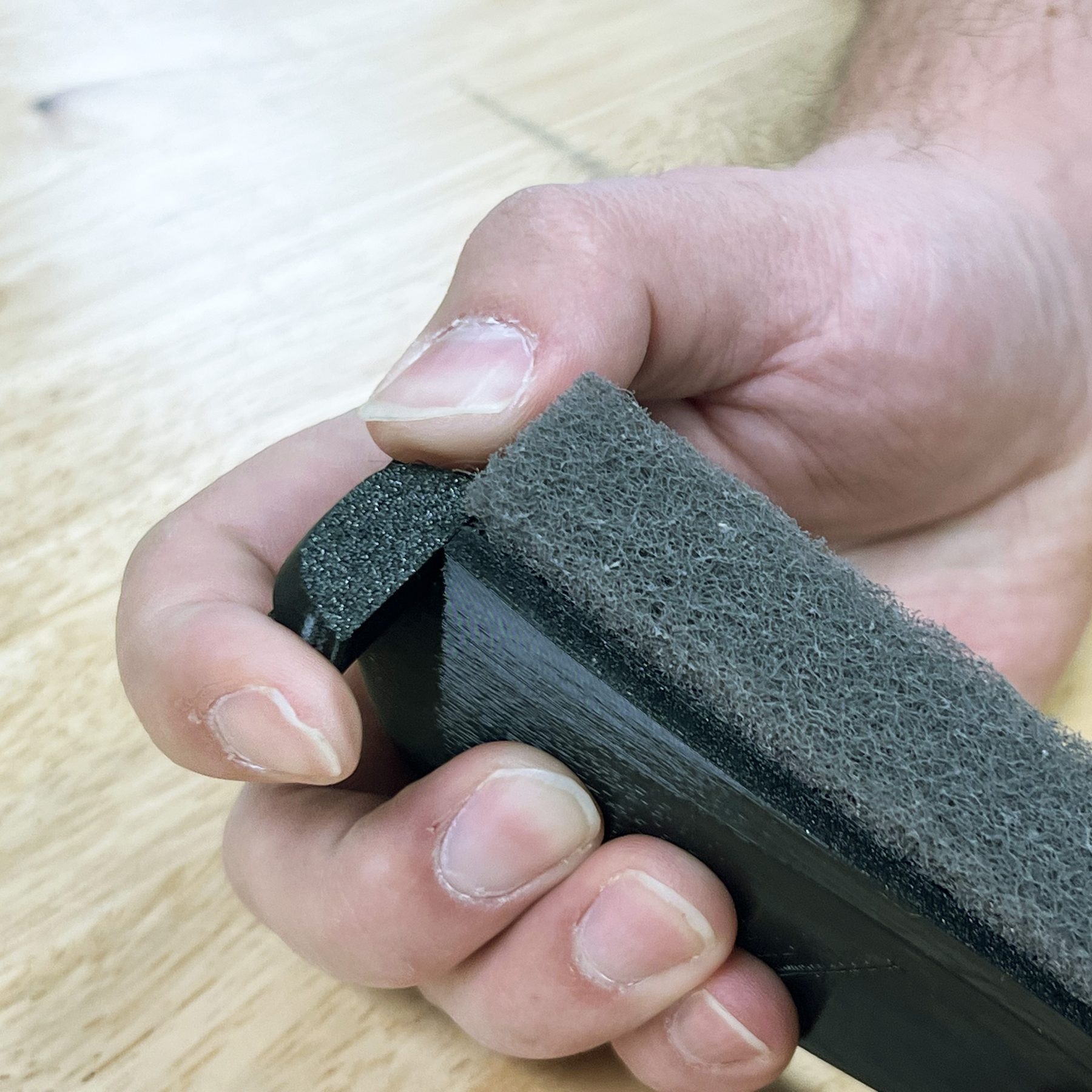
End cap removed, held alongside the open brush body
End cap off
With the cap removed, the pad channel is open.
Worn scouring pad being slid out of the brush channel
Pad removal
The worn pad slides straight out of the channel.
Fresh scouring pad being fed back into the channel
Pad replacement
A fresh pad feeds in the same way.
End cap being pressed back onto the brush body
Closing up
The cap snaps back on and the brush is ready to use.
SHIPPING PREPARATION
Designing the Path to Unboxing

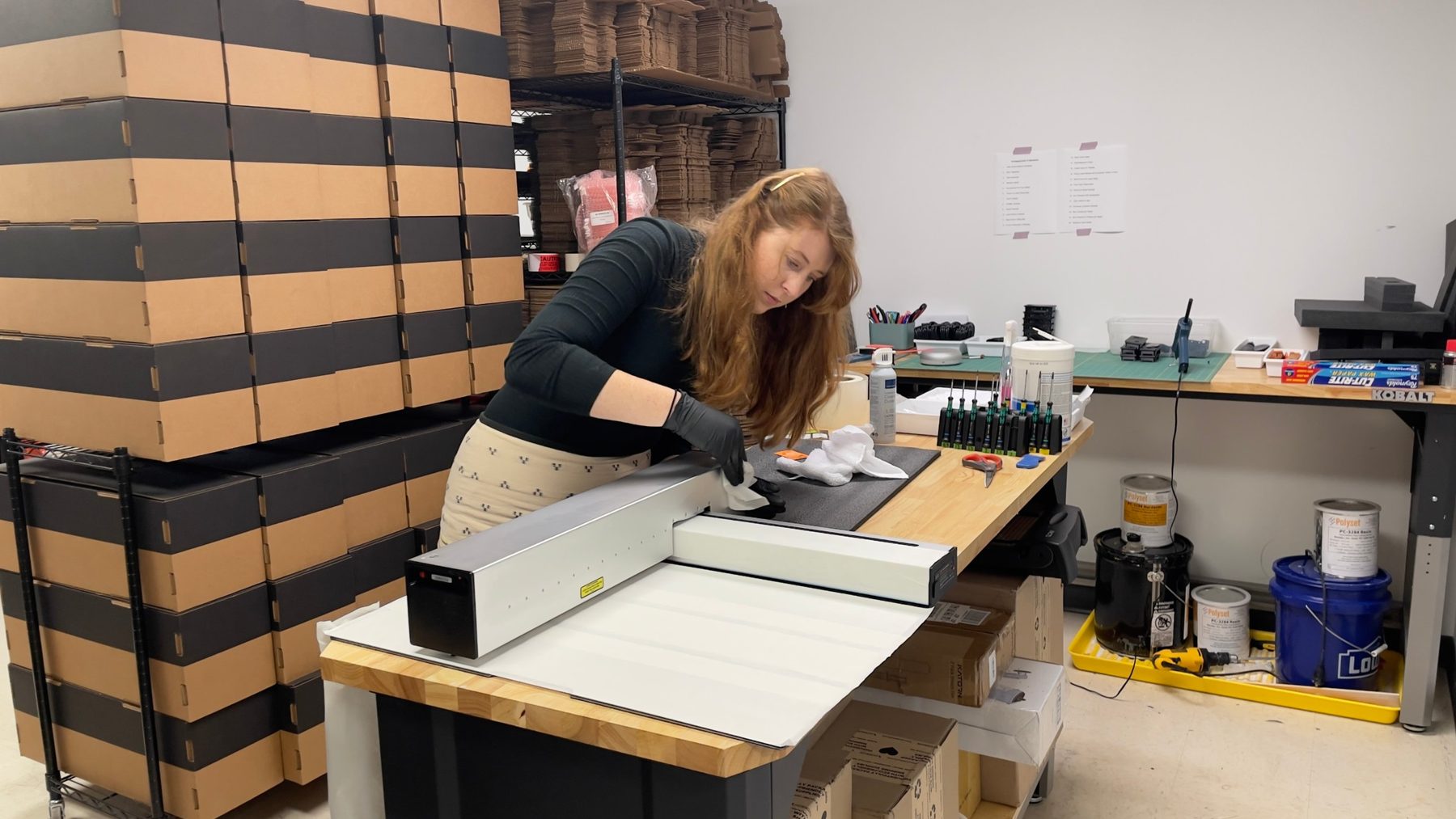
I designed the process of prepping Optics to ship. Every unit was tested before it left, so I carefully tightened bolts, cleaned each machine, and used protective paper and foam so that unboxing felt exciting and satisfying. I also created the packaging instructions and a packaging Bill of Materials, and redesigned some of the product stickers to fit the brand language.

Sophie cleaning a tested Optic at the packing bench, stacked shipping boxes behind her
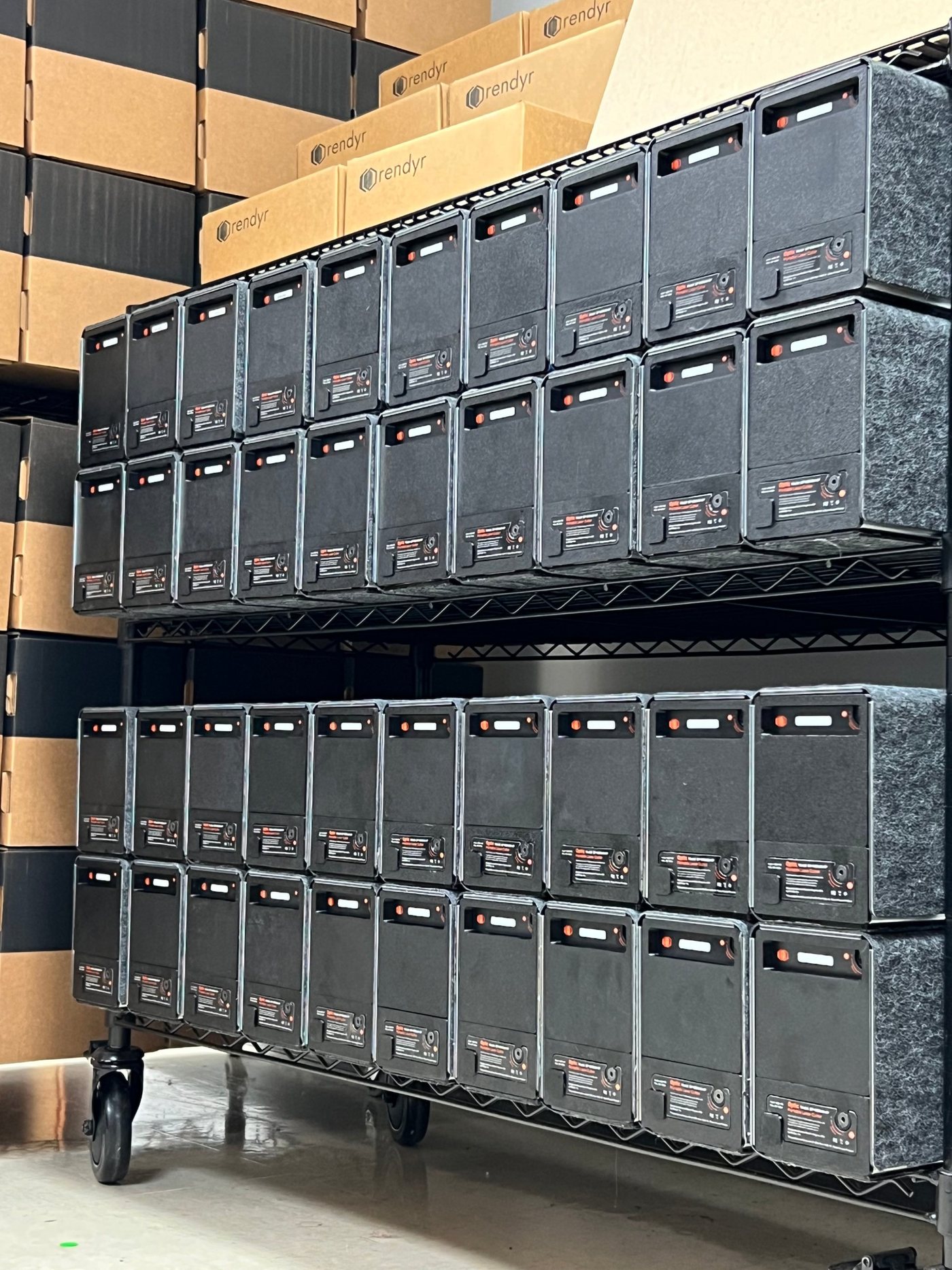
Two shelves of packed-up Optics tested and ready to ship, with branded boxes stacked behind
Optics tested and ready to ship.
PROJECTS & INSPIRATION
PROJECTS AS RESEARCH
Inspiration That Taught Us the Product

I designed and built projects on the Optic that did double duty. They gave us content to showcase the product and, more importantly, inspiration to get people's creativity growing. Making them also taught us about the Optic itself:

—Where it shines, and where its limits are
—A second, more curated starter material kit for first-time users
—How often filters need to be changed
—What ongoing maintenance might look like
Project Content Gallery

I designed targeted content that highlights the benefits and applications of laser cutting technology, appealing to current users and potential customers.

Shapes forming a circle
Diversity
With e-commerce sales impending, not all materials and use cases had been investigated or displayed online, so I focused on a diverse variety of projects.
Sparkles
Highlights Optic
The Optic has several distinctive features, so I honed in on projects that either can only be done with the Optic or work particularly well with the machine.
Lightbulb
Inspirational
I wanted my work to evoke curiosity and inspiration through unique designs that stand out online or are easily modifiable for users.
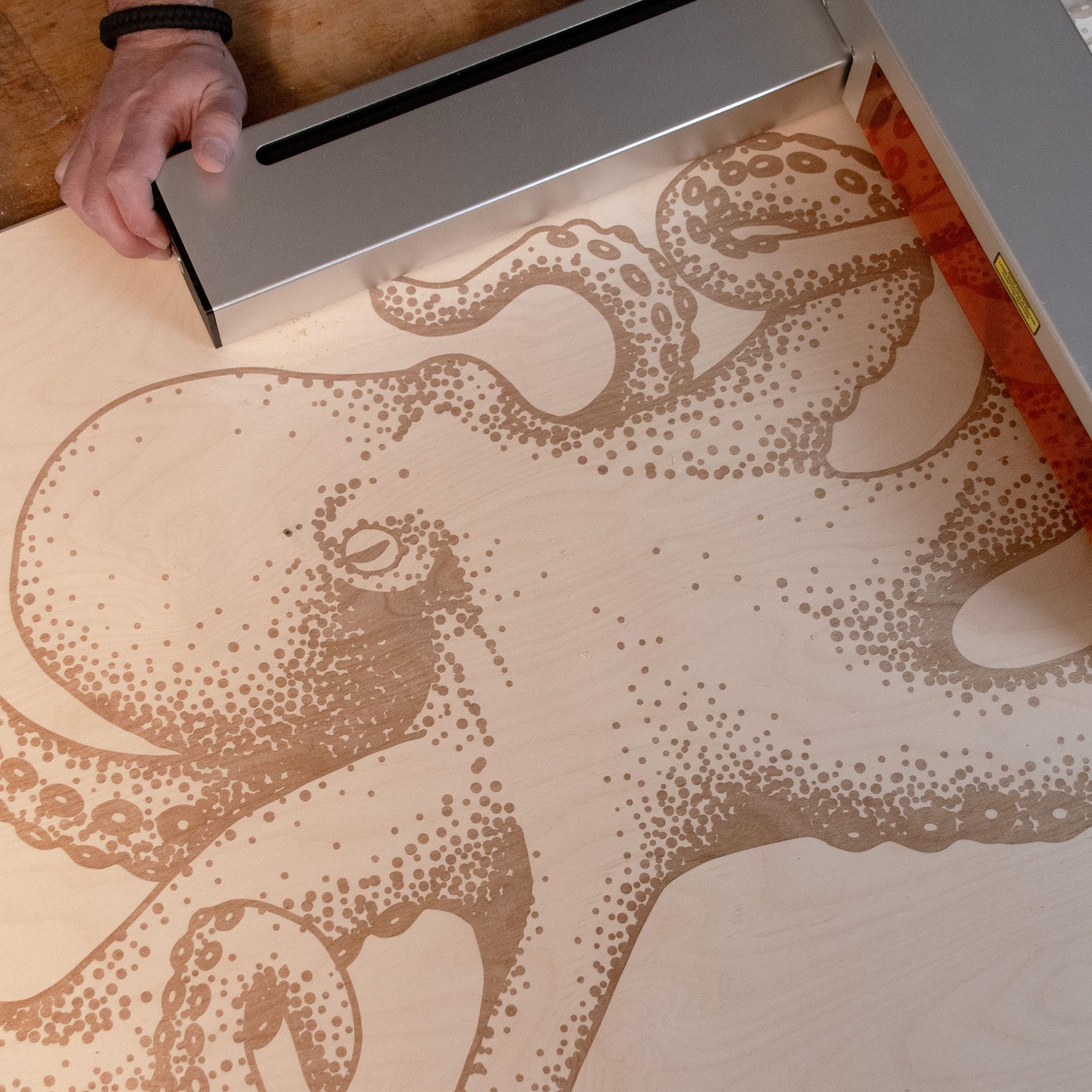
Octopus engraving on birch plywood
Octopus Coffee Table
30"x60" plywood coffee table engraving with hairpin legs
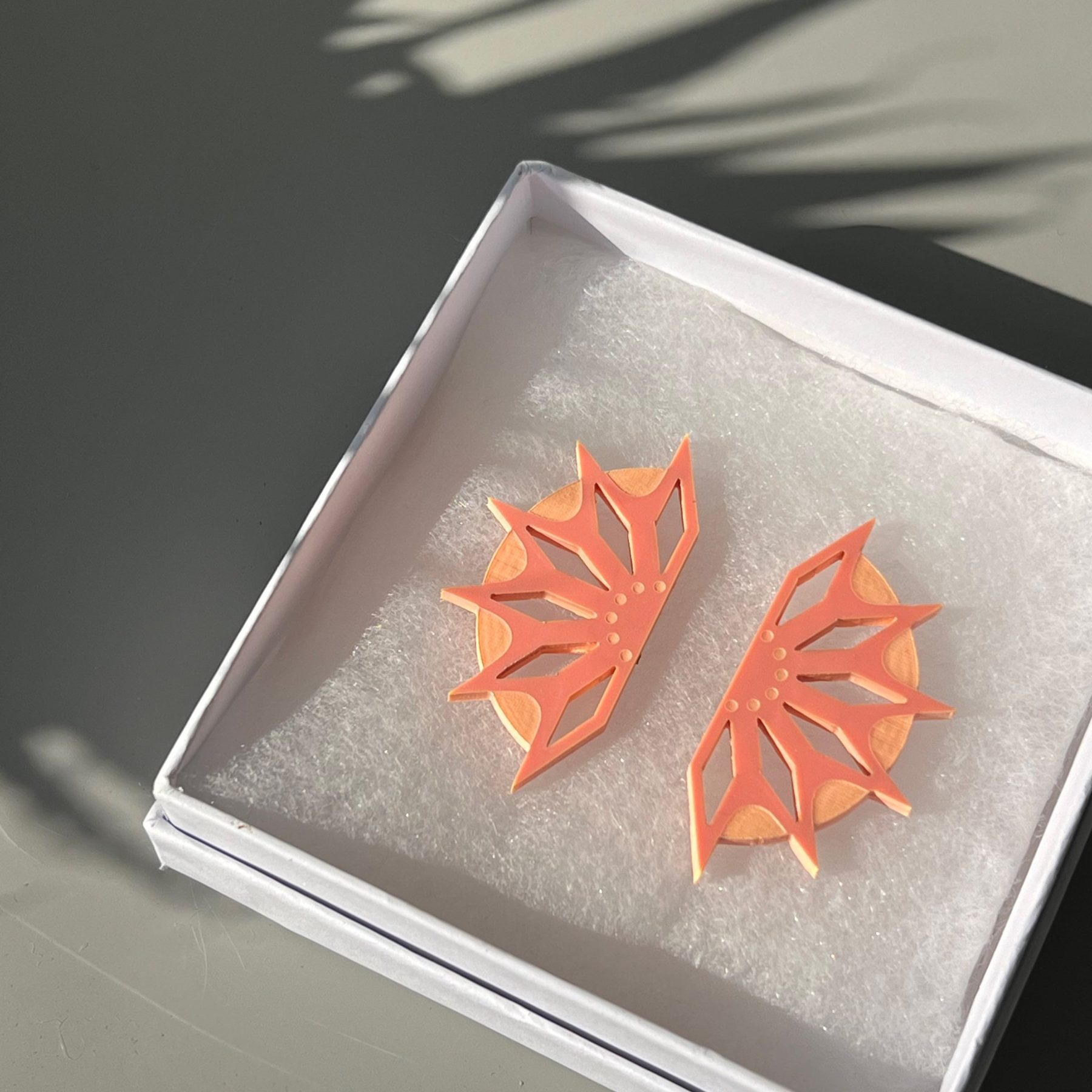
Laser-cut acrylic earrings in a gift box
Acrylic Earrings
1/8" pink acrylic cut and engraved into stud earrings
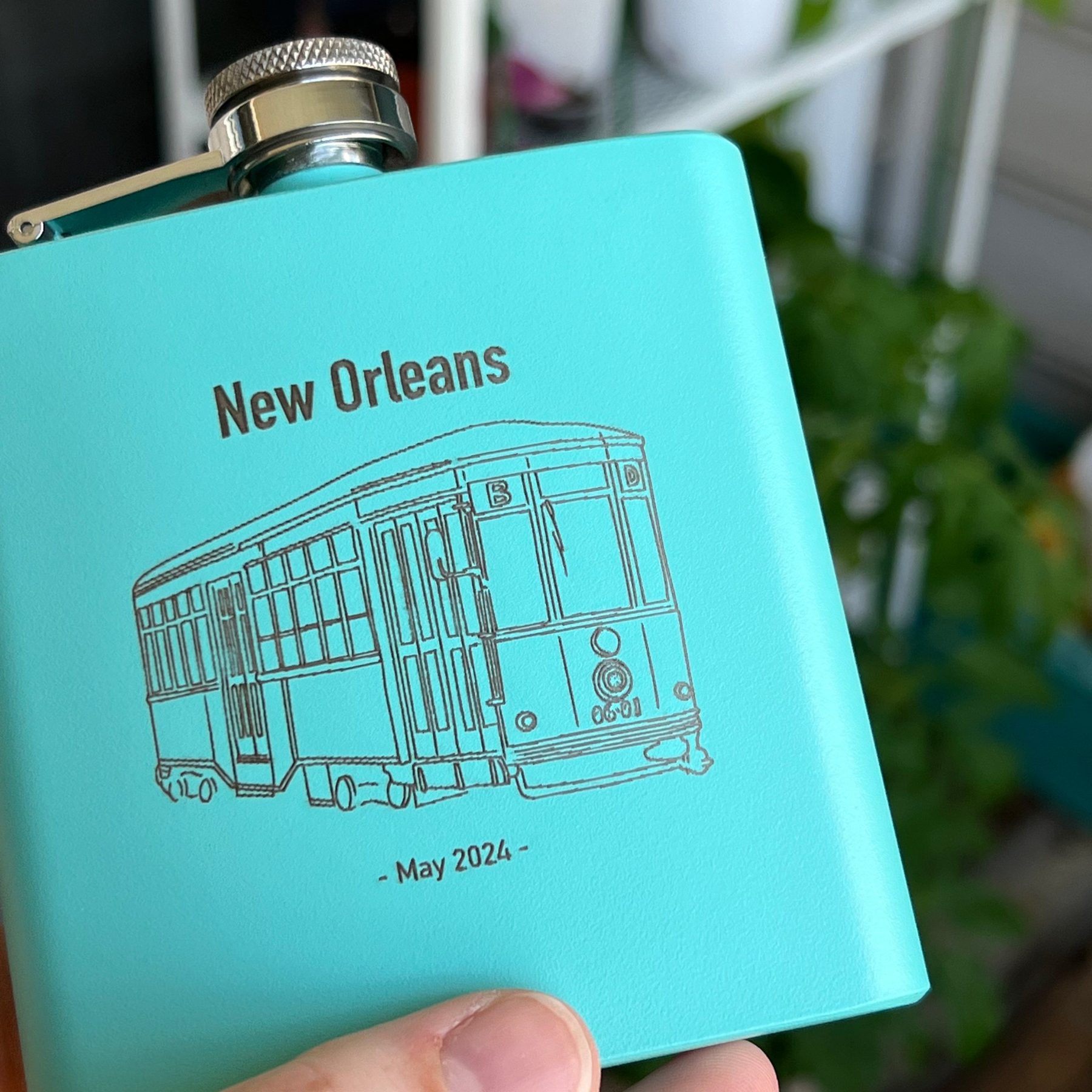
Engraved New Orleans streetcar flask
Engraved Flask
Engraved teal flask (one of a set)
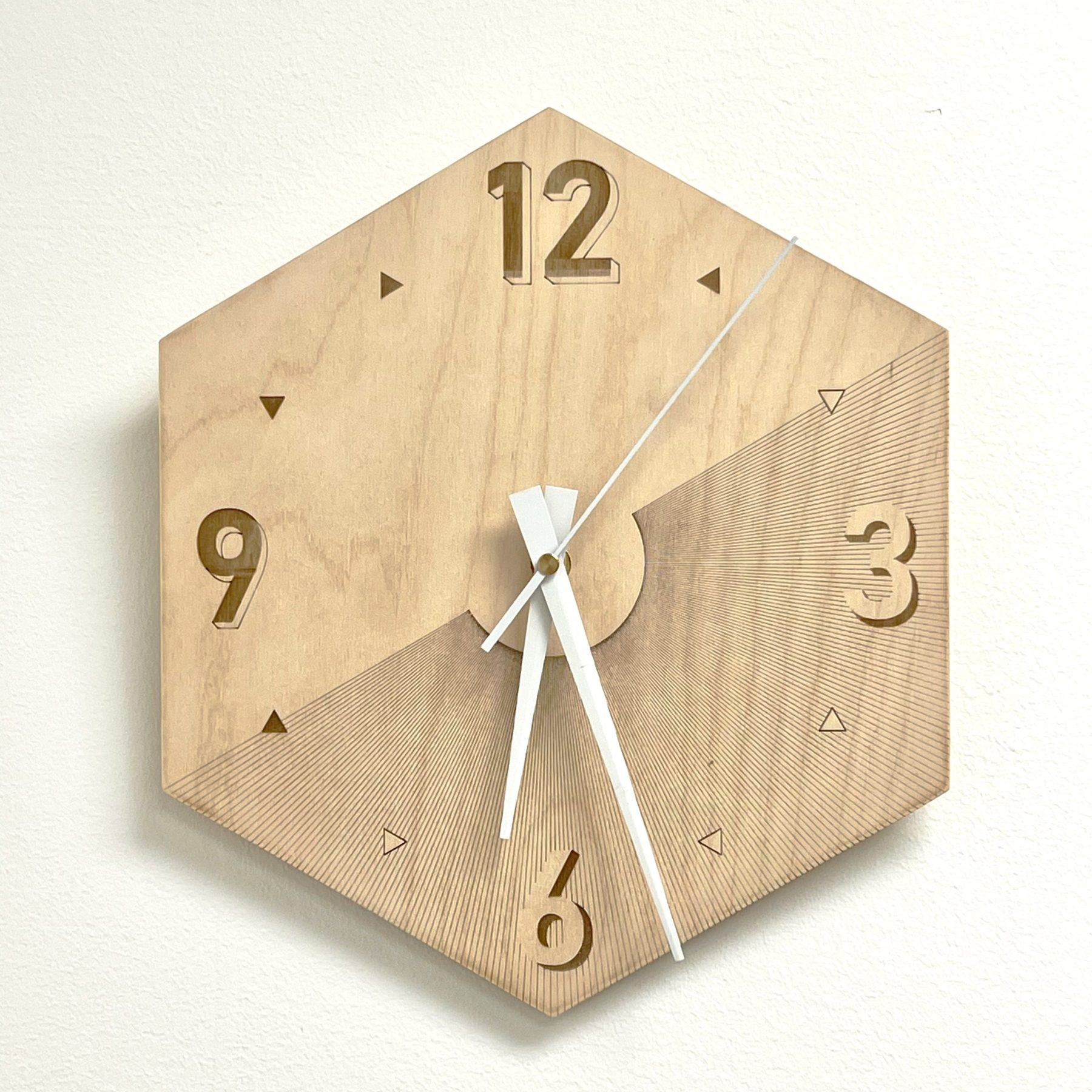
Hexagonal wooden wall clock with engraved numerals
Geometric Clock
Wall clock cut and engraved from 1/4" plywood
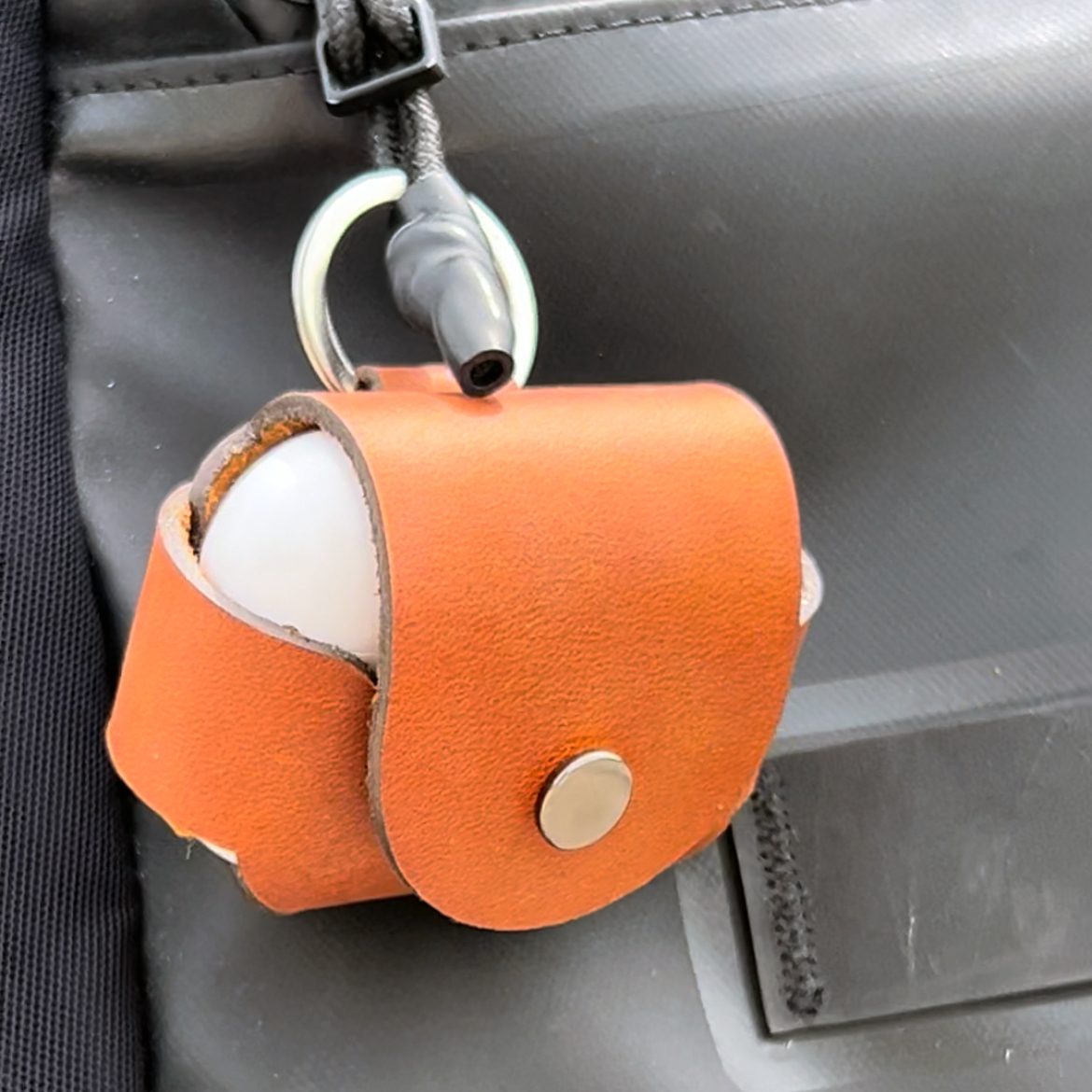
Leather AirPods case with keyring
AirPods Case
Laser cut leather case with key ring and snap
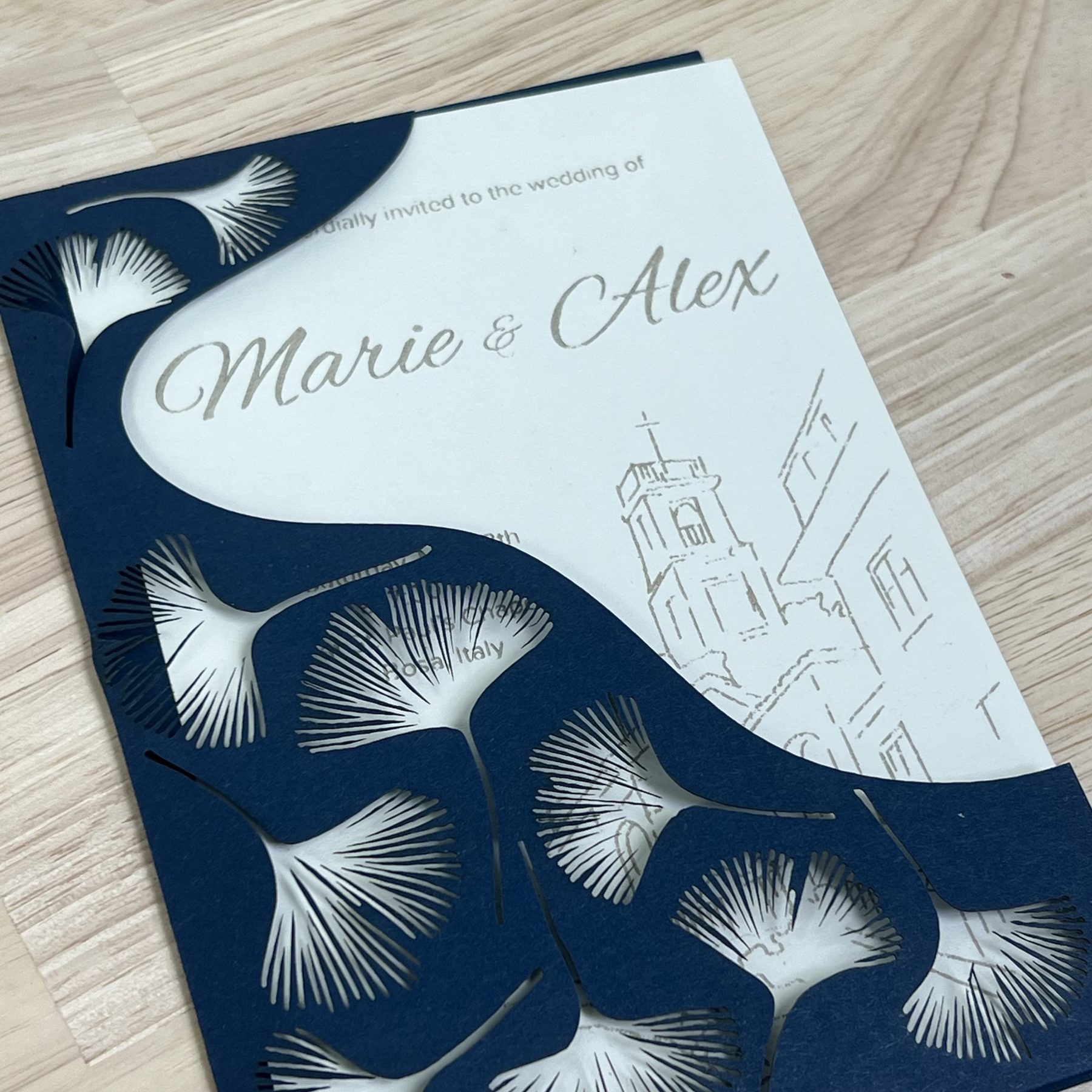
Laser-cut wedding invitation with ginkgo leaf pattern
Wedding Invitation
Cardstock invitation suite cut with a ginkgo leaf pattern
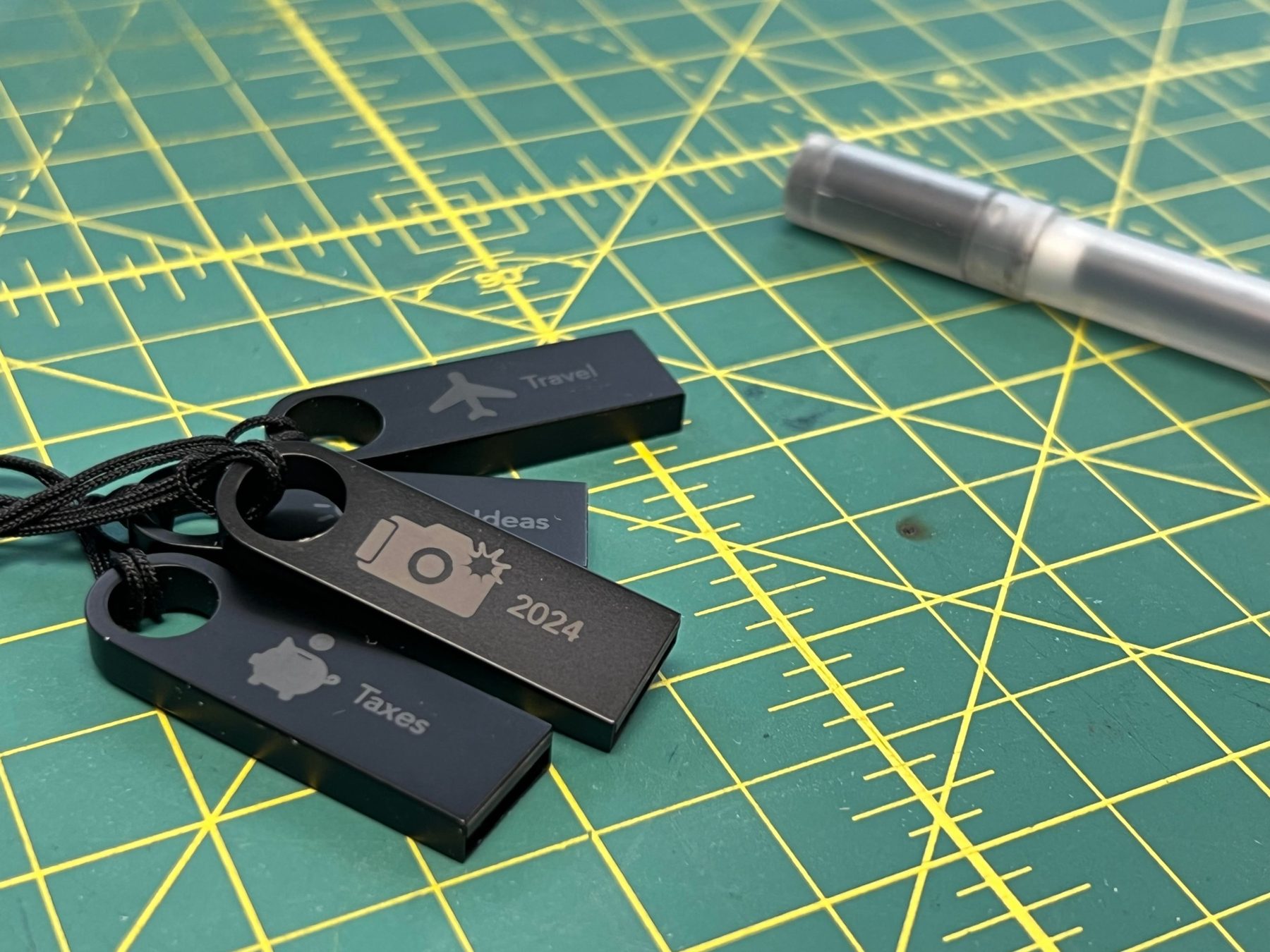
Engraved metal USB drives with icon labels
Engraved USB Drives
Anodized aluminum drives engraved with icon labels
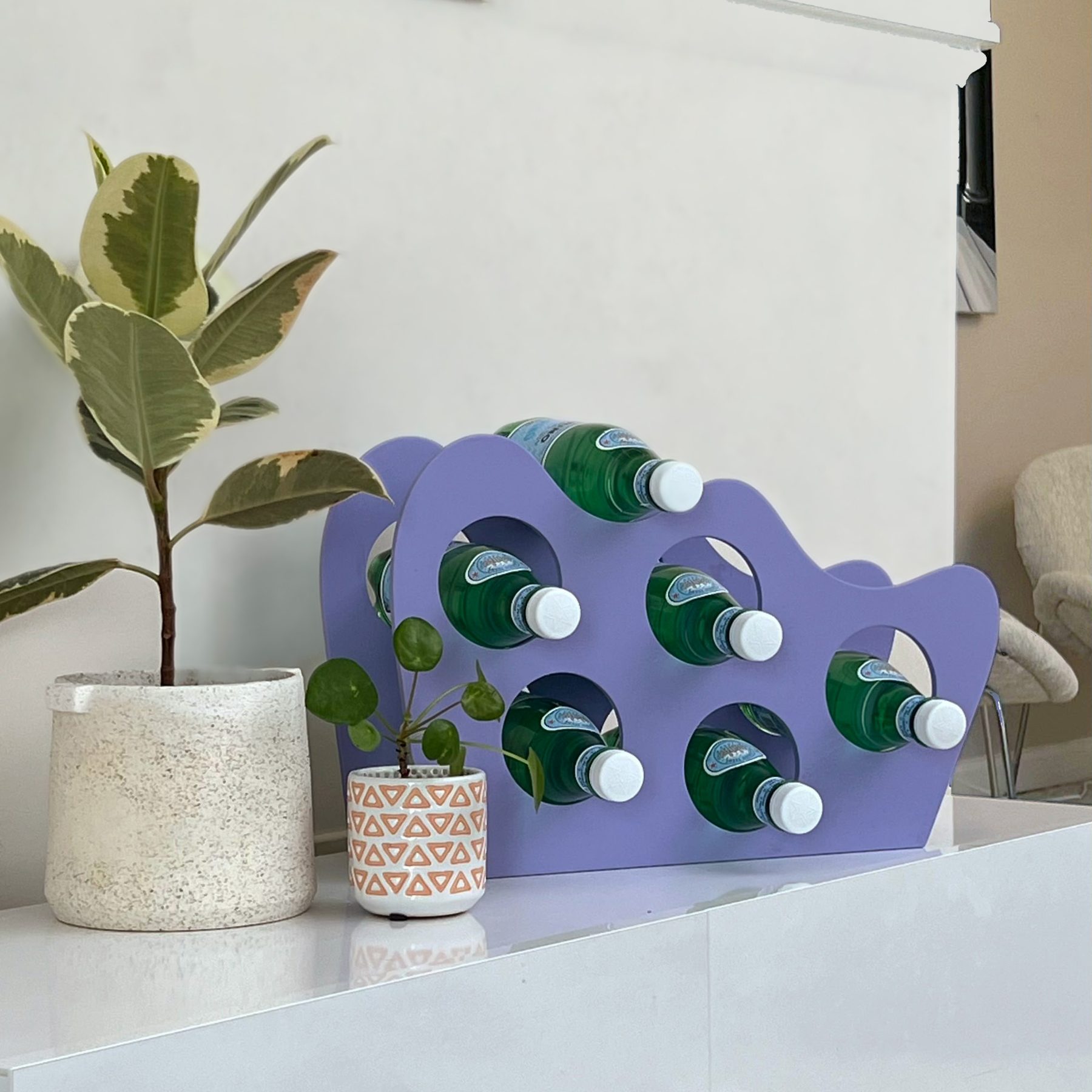
Laser-cut lavender bottle rack
Bottle Rack
Sparkling water rack made from spray painted 1/4" plywood and dowels
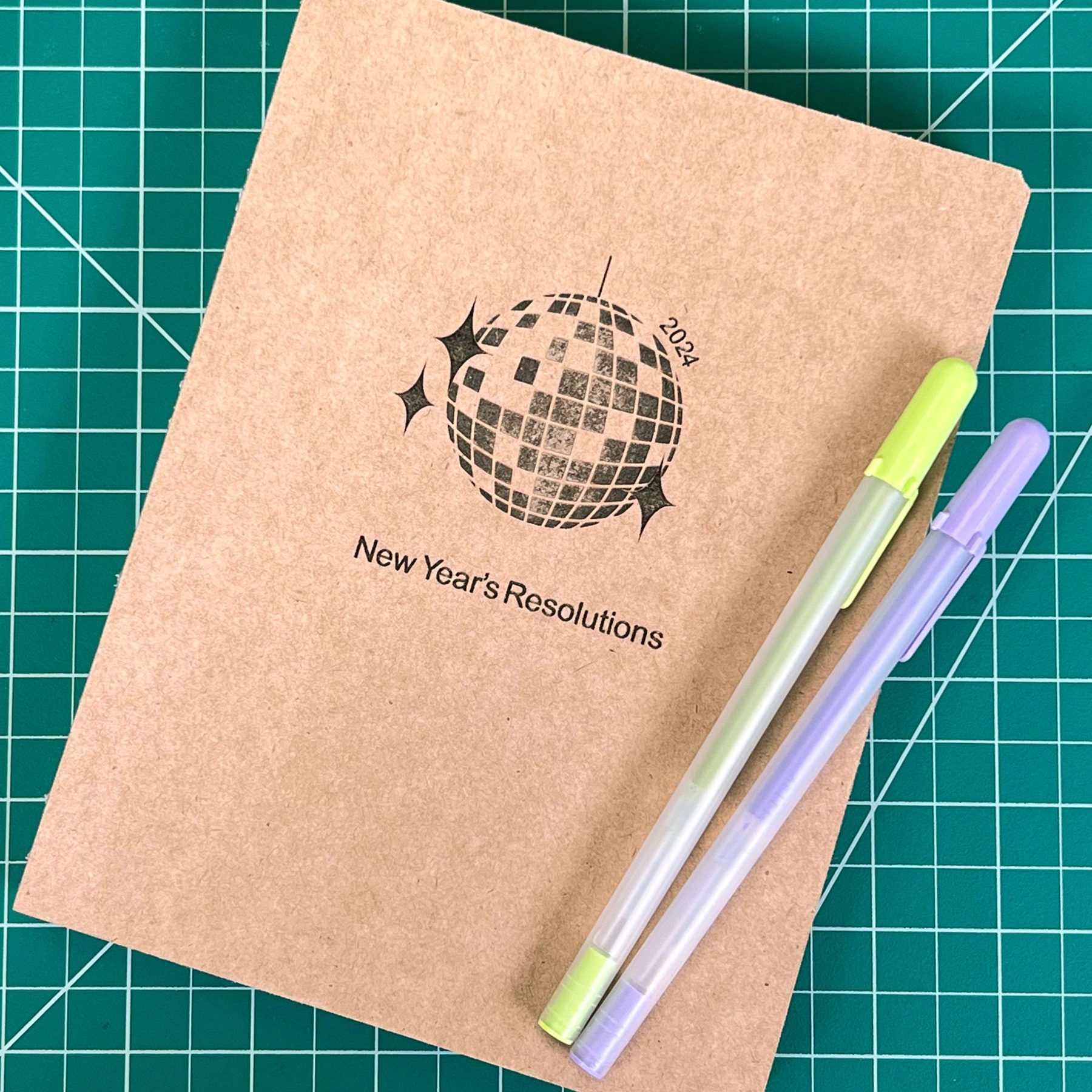
Engraved kraft New Year's Resolutions journal
Resolutions Journal
Kraft cover journal engraved as a New Year's gift
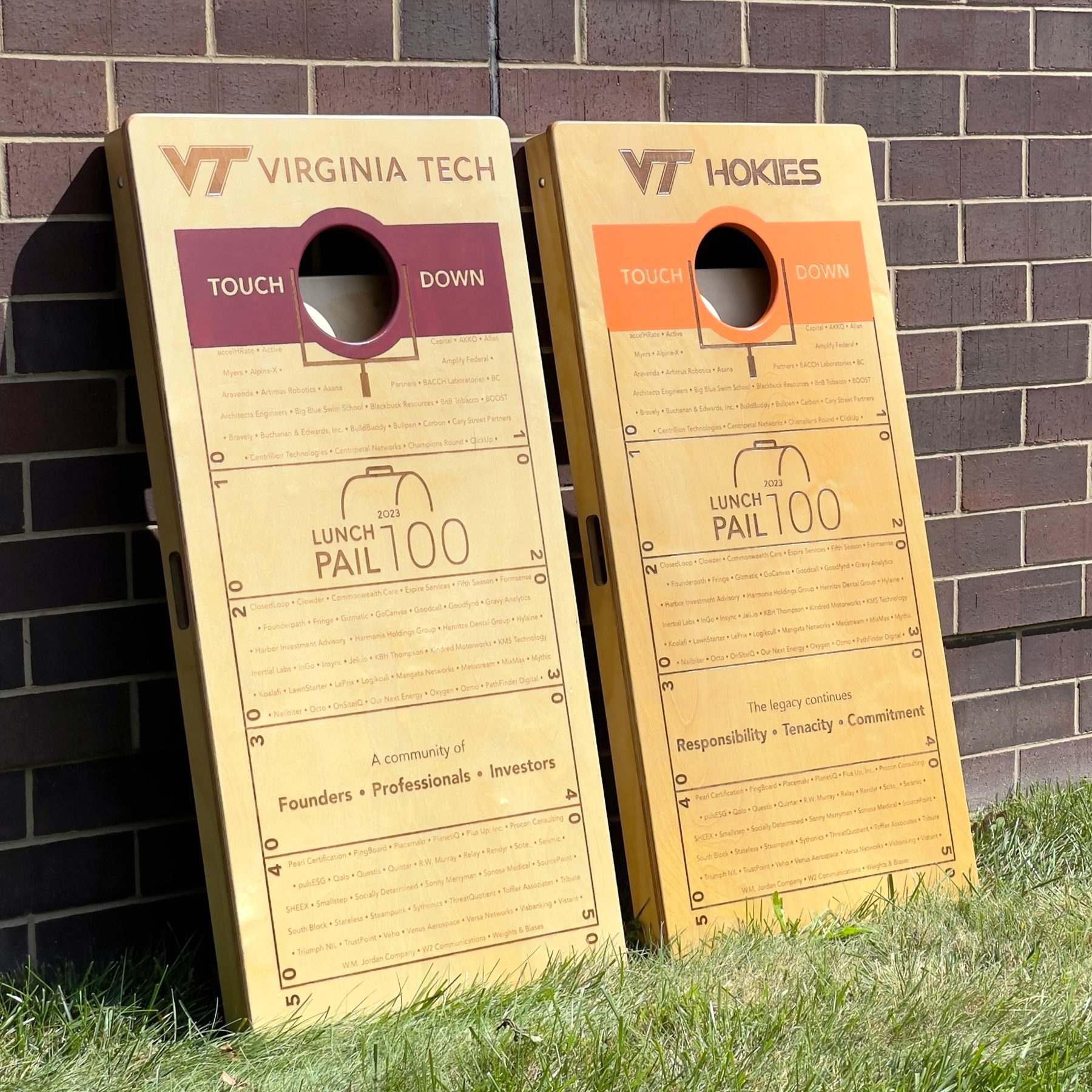
Engraved Virginia Tech cornhole boards
Cornhole Boards
Full size boards engraved with a Virginia Tech crest
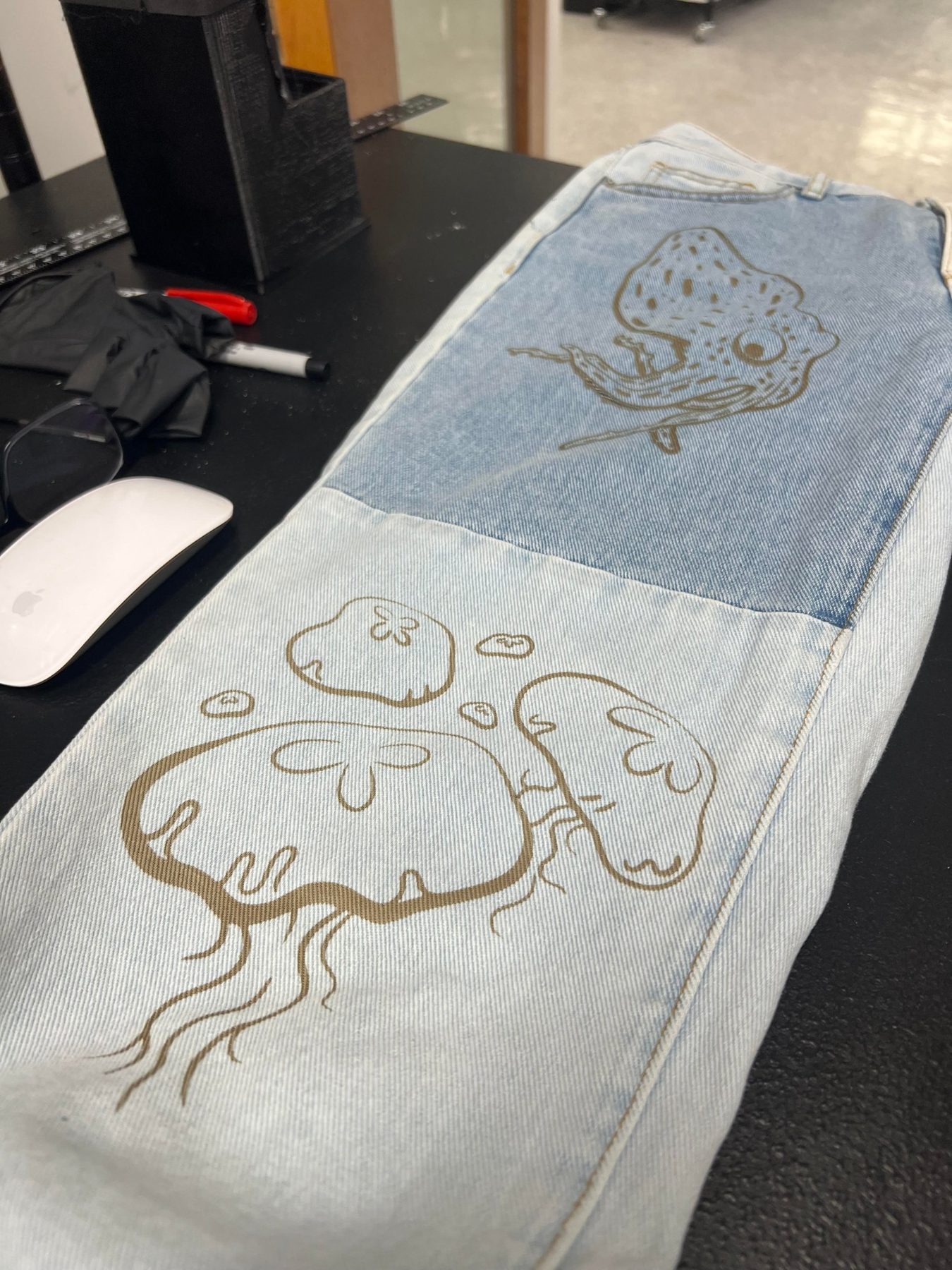
Jellyfish and squid designs engraved on denim
Engraved Denim
Jellyfish and squid designs engraved directly onto jeans
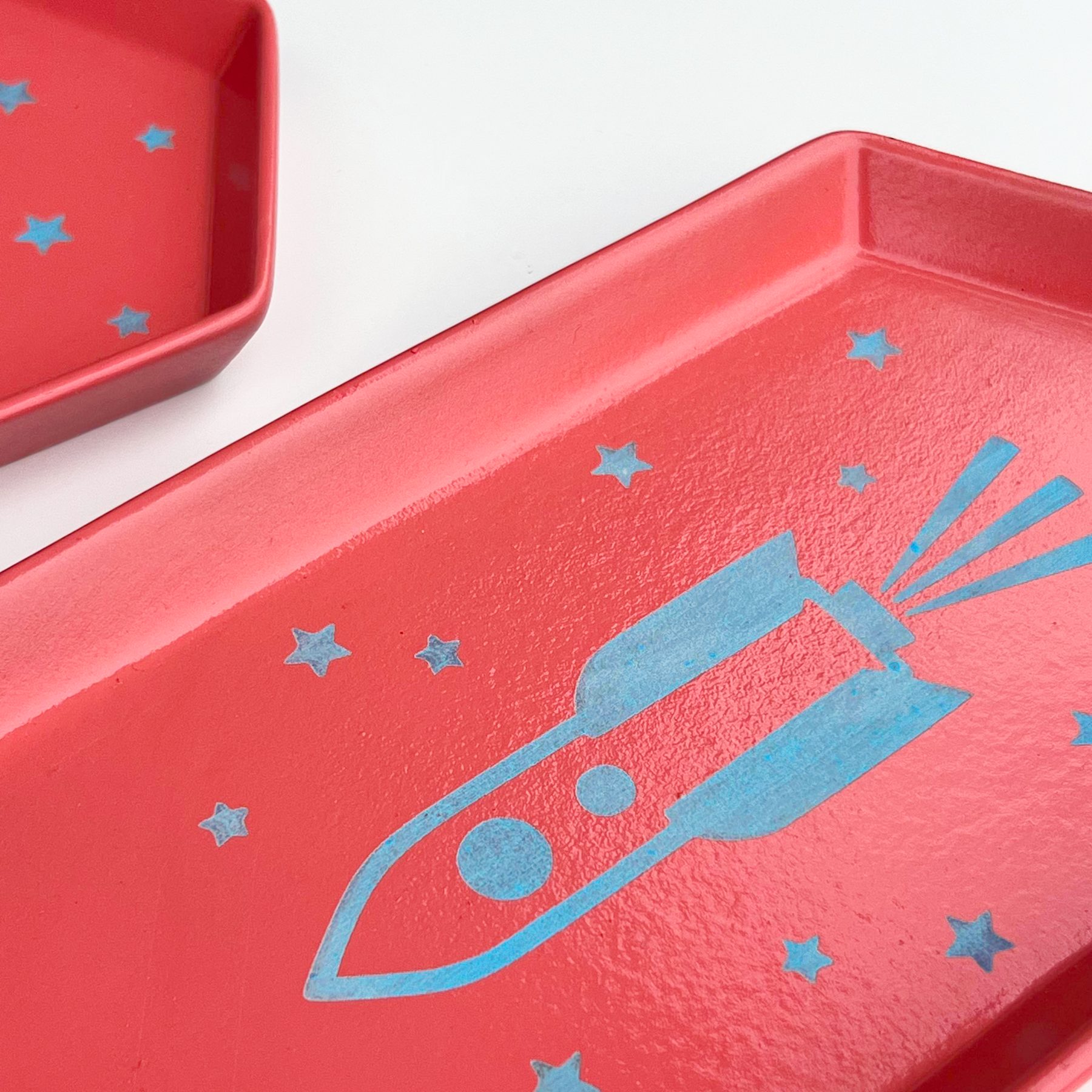
Red ceramic trinket trays with a light blue rocket and stars engraved through the glaze
Ceramic Trinket Trays
Rocket and star motifs engraved through red glaze
Website Development

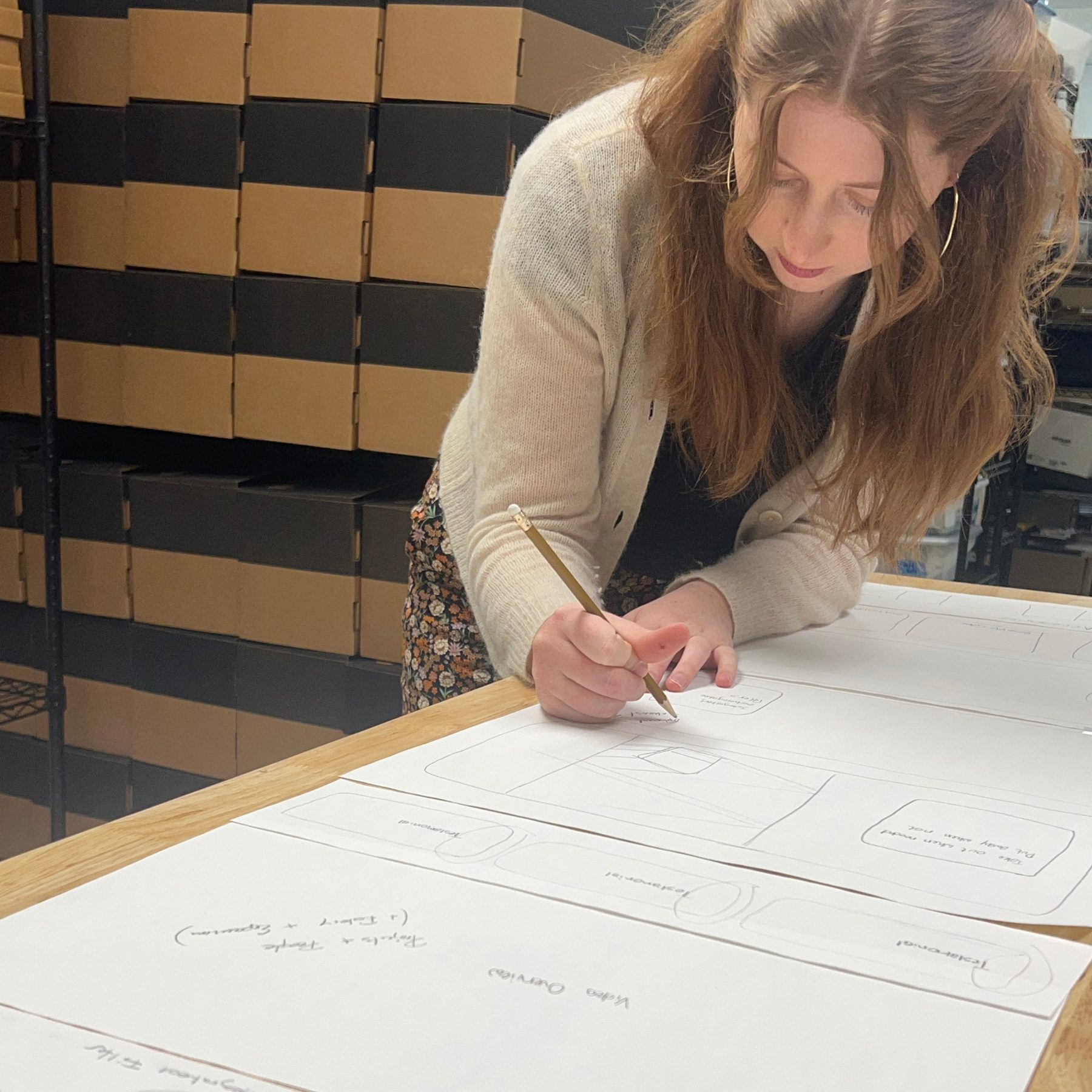
As fulfillment of Kickstarter orders neared completion, my focus transitioned to project development and web design. I initiated the homepage design by creating a foundational structure that integrated existing content and prioritized new additions. Based on user and competitor research, I supported the design of an intuitive, inspirational website. I also managed communications with our partnered marketing firm and participated in early marketing strategy meetings. My efforts then shifted to designing and implementing Optic projects that effectively highlight the machine's capabilities.

Sophie sketching homepage wireframes on large paper at the packing bench
A screen recording of the Optic website. I mocked up the pages in InDesign first, and the site was built on Shopify.
BRAND LANGUAGE
Sticker Redesigns
I redesigned the rating, tension, and filter labels to fit the brand language. Select one to see it larger.
SHIPPING PREPARATION
Prepping Each Optic to Ship
Select a step to see it larger.
PACKAGING VALIDATION
Drop Testing

To ensure the packaging design was sufficient for protecting the Optic during shipping, we completed drop and vibration testing. The Optic functioned after these tests, and the packaging was approved for use.
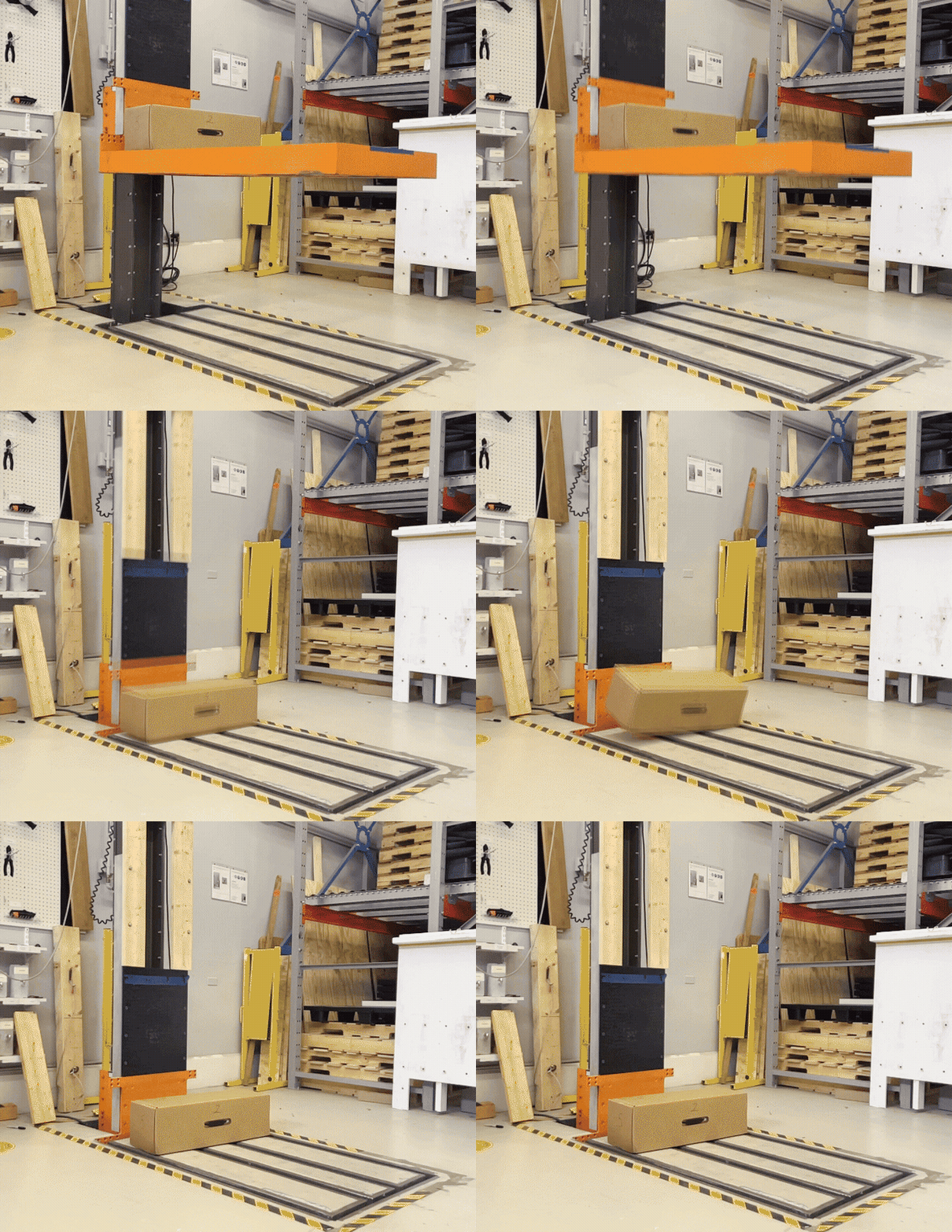
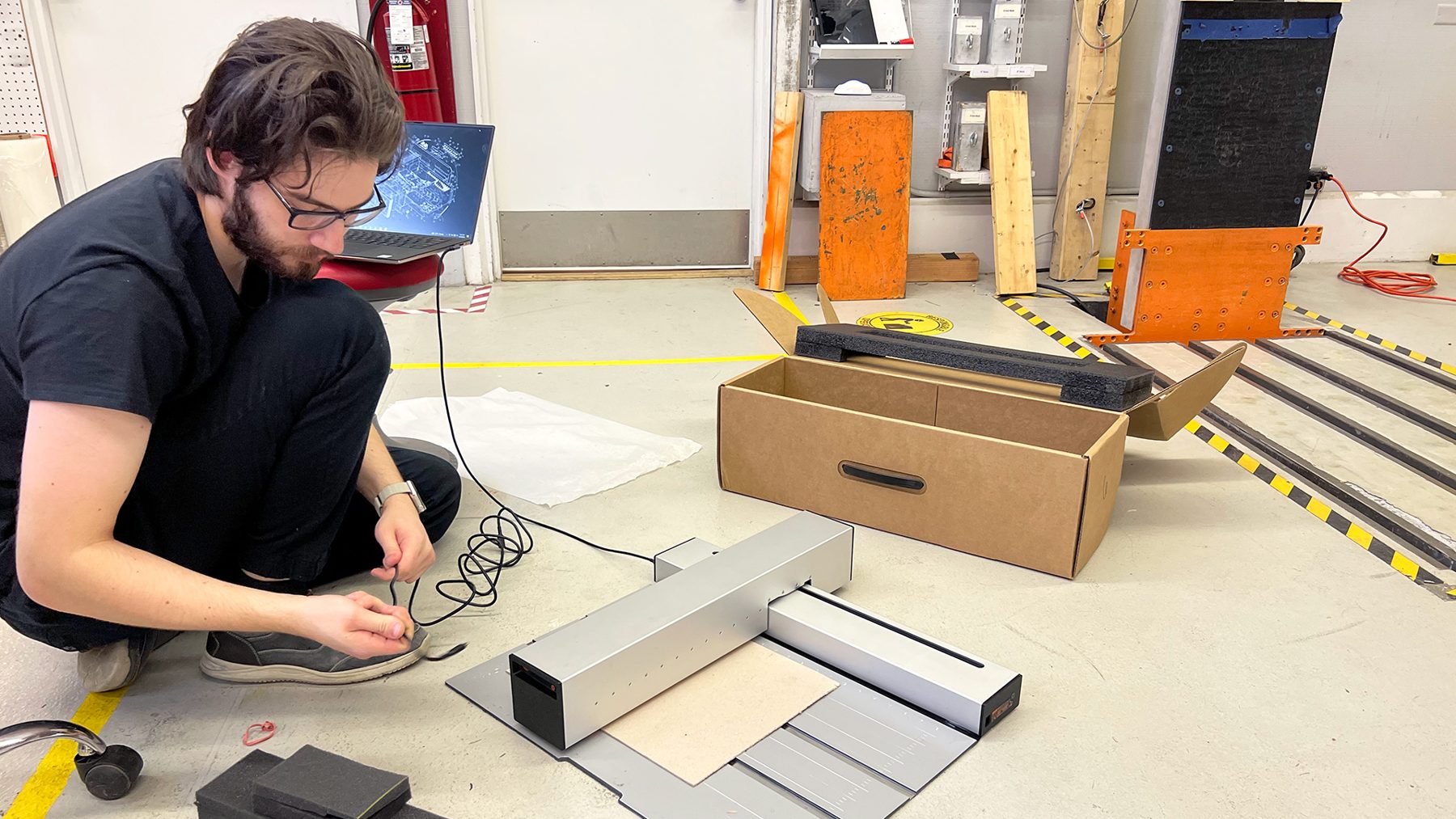
Packaged Optic dropping from the test rig onto the impact floor
A packaged Optic released from the drop rig.
Engineer running an Optic after a drop test to confirm it still works
Testing the Optic after a drop test to confirm it still runs normally.
WHAT'S IN THE BOX
Cleaning + Maintenance Kits

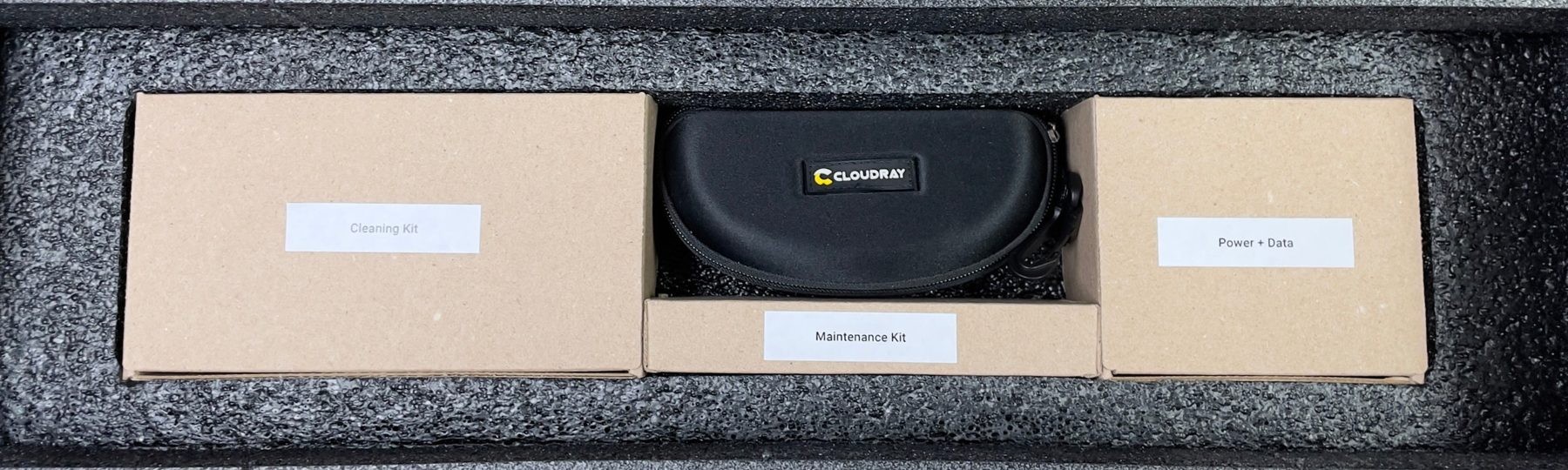
The brush ships in the box to complete the Cleaning Kit. I ordered parts and accessories and helped decide what went into the cleaning and maintenance kits. Their boxes fit the bottom cavity of the Optic box and carry on the brand language of simple recycled cardboard and simple labels, dimensioned to fill the box exactly.
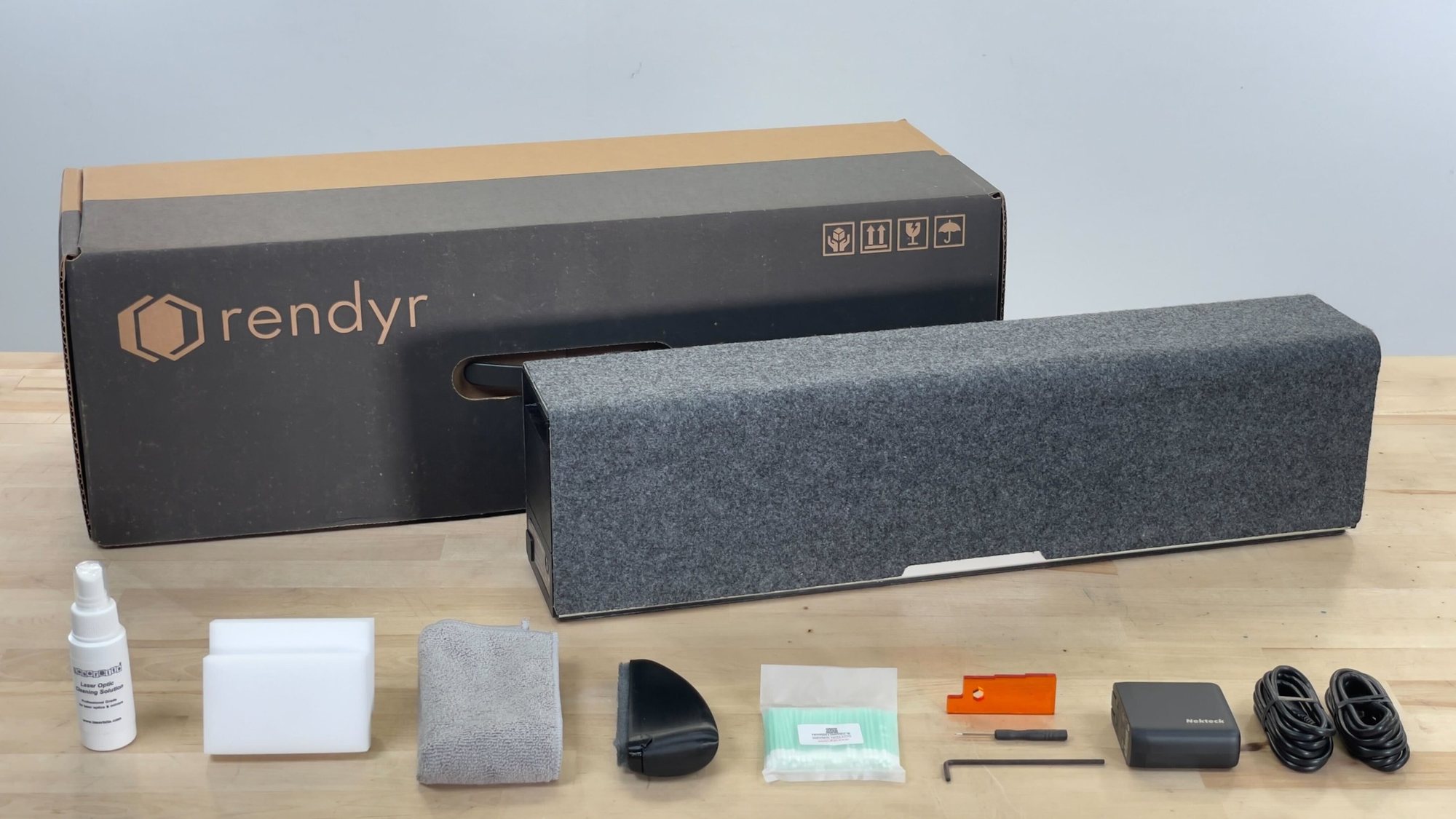
Optic box with the folded Optic and its accessories laid out in front: cleaning spray, sponge, cloth, mat brush, swabs, height gauge, tools, power supply and cables
In-box accessories in the foam tray: cleaning kit, laser safety goggles, maintenance kit, and power and data cables
Hover a compartment to see what it holds.
Cleaning Kit
Microfiber cloth
Microfiber cloth
Cotton swabs
Cotton swabs
Cleaning solution
Cleaning solution
Cleaning sponges
Cleaning sponges
Cutting mat brush
Cutting mat brush
Laser Safety Goggles
Laser safety goggles
Maintenance Kit
Allen key
Allen key
Small flathead
Small flathead
Height gauge
Height gauge
Power + Data
Power supply
Power supply
Power cable
Power cable
Data cable
Data cable
{{ vmTitle }}
{{ vmDesc }}
{{ lbAlt }}
{{ lbTitle }}
{{ lbDesc }}
Watch on YouTube →
Special Thanks
Martin Angst
Grayson Morrow
Robert Worley
Kaelum Hasler
Hans Stahl
Chris Hanks
Paris Parsons
James Trixler
Ron Flanary
Ed Coe
Travis King
Joe Lawson
Mikila Young
Austin Alley
Jarid Scott
Sarah Trixler
Travis Wiehe
Mike Abbott
Vincent
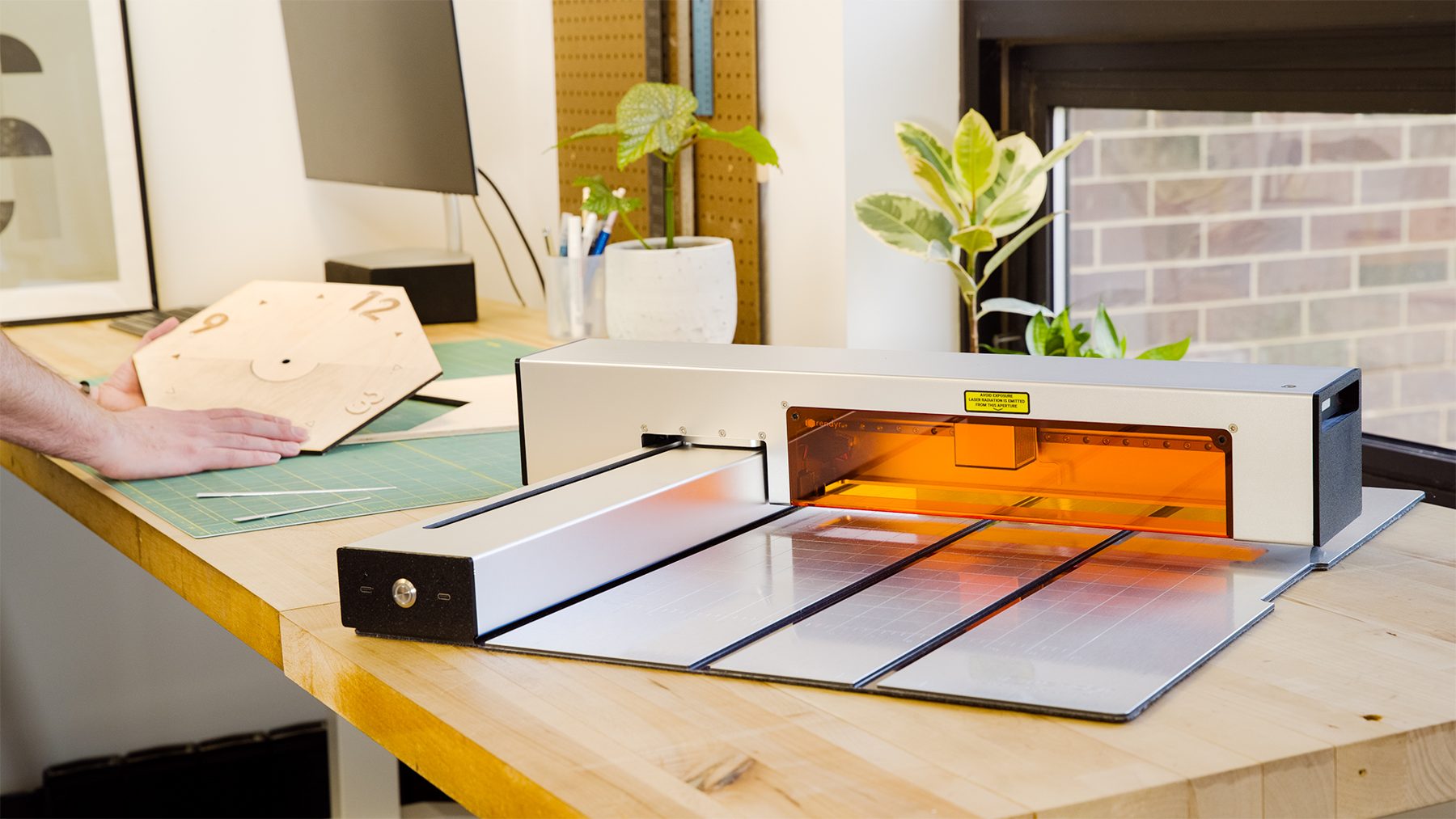
The Optic open on a workbench, orange shield glowing, beside a laser-cut wooden clock face
MORE WORK
Amity →
a board game console designed to provide a fun, shared experience between players and their loved ones
OXO Walking Cane →
a walking cane that reduces the visual stigma of living with a disability while providing universal ergonomic features
Weeknd →
helps people create and discover accessible events that build community and spark spontaneity
© 2026 by Sophie Dukes